Brawl is a combat mod for Baldur's Gate 3. It includes a Real-Time with Pause combat system and a Swarm Mode combat system. Download from Nexus.
Thanks to Focus for the idea and advice.
I recommend installing Brawl using the BG3 Mod Manager. Suggested mod loading order in BG3MM:

The requirements to run Brawl are the Script Extender, which can be installed from the Tools menu of the BG3 Mod Manager, and the AnimationUnlocker mod (not shown in the picture). Mod Configuration Menu (MCM) is highly recommended but not strictly required. MCM must be at least v1.33 -- some of the hotkeys will not work correctly in older versions of MCM. Community Library and Compatibility Framework are not required for Brawl, but they are requirements for many other mods, so they are shown here for reference. The important things here are that MCM and Community Library are FIRST and Compatibility Framework is LAST. Brawl should be one of the last mods loaded. If you're using mods that add new spells or abilities, make sure they are loaded before Brawl (as shown in the screenshot).
Generally, I recommend using a fresh save file for Brawl, or if you're using it with a pre-existing save file, please remember to back up your save first. Brawl makes temporary changes to the state of the game to enable real-time combat, so if you want to uninstall Brawl, you must first disable the mod (press F11 in the game) and then save your game.
Swarm Mode games can be freely saved and reloaded mid-fight. However, when playing in Real-Time Mode, it's best to avoid saving and reloading mid-fight, or while paused. If you save and reload mid-fight in Real-Time, and you find that the game behaves strangely upon re-loading, disabling and re-enabling the mod (by pressing F11 in the game) seems to fix any issues that crop up from this.
Note: all hotkeys discussed in the sections below can be re-bound in the MCM menu, under the "keybindings" tabs! The specific hotkeys mentioned below are just the default hotkeys. If you change your keybindings, reload your save for the updated settings to take effect.
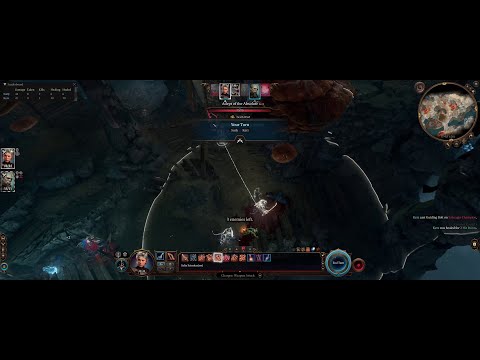
Brawl uses a Real Time with Pause system designed to feel similar to the combat of the original Baldur's Gate games. You can pause by pressing the "turn-based" orb in the lower right (or on the radial menu, if using a controller), or by pressing the pause hotkey (LShift+Space on keyboard, right thumbstick on controller). Pausing causes your actions to be queued up during the pause, and then executed all at once when you unpause. This feature is enabled by default and should work with both mouse-and-keyboard and controllers. Movement initiated during pause can be canceled by right-clicking, but due to technical limitations, actions initiated during pause cannot be canceled. Brawl's real-time AI can control your party members in addition to the enemies (see below for settings). By default, the companion AI will control your non-active characters during real-time combat. While paused, if you don't want to manually select all your companions' actions, you can use the Companion AI Action hotkey (LCtrl+C) to queue up actions for your companions.
If you disable "True Pause" in the menu, pausing will instead take you into the ersatz turn-based mode where the player takes their turn, and then the "environment" gets a turn.
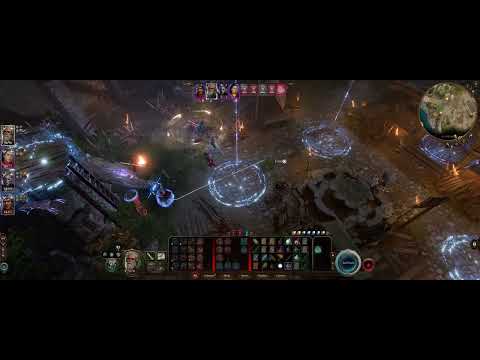
This is a separate combat mode from real-time combat and can be activated by checking the box in the MCM menu. In this mode, players take their turns at the same time using the normal turn-based combat system, and then the enemies all take their turns at the same time in a single "swarm", using a hybrid of Larian's built-in AI and Brawl's real-time AI. If there are more than 20 enemies total, they will instead take their turns in swarms of 20. This mode is intended to improve pace-of-play, especially for large-scale fights. Note that, unlike the game's built-in "swarm groups" where enemies can only basic attack and dash, Brawl's Swarm Mode allows enemies full access to their abilities and spellbooks.
In Swarm Mode, if you don't want to assign all your companions' actions manually, you can press the Companion AI Action hotkey (LCtrl+C) and the AI will automatically select actions for your companions. This will include your actively controlled character if Full Auto is selected.
Press LCtrl+V to toggle the Brawl menu. It has three tabs: Leaderboard, Loadouts, and Encounters.
A scoreboard with combat statistics either for the current fight (in Swarm Mode) or for the current session (in Real-Time mode). It includes damage done, damage taken, number of killing blows, healing done, and healing received:

The Loadouts tab is a sort of wardrobe interface for your characters, where you can save your current loadout, or switch to an old loadout that you previously saved. A "loadout" includes all your character's current learned spells, their reaction settings, all of their hotbars, their combat archetype, and their equipment. You can use the Load button on a saved loadout to immediately switch all these things back to that configuration. (To be loaded, equipment must be in your inventory, or in the camp chest if you are in camp.) There is no limit to how many loadouts you can save per character.

The Encounters tab is an experimental feature that lets you spawn an enemy encounter. Press the "Fight!" button to trigger a "Trials of Tav"-style encounter, without pulling you out of the campaign. It uses pulls from the Trials of Tav Reloaded enemy pool, and rewards you from the ToTR loot pool afterwards.

- If "Spawn an encounter at the beginning of every fight" is checked, then at the beginning of each combat, an encounter will spawn, in addition to the enemies already in the combat. Fights that are triggered via the Encounters menu will not spawn additional encounters with this option.
- If "Chance to spawn an encounter each round" is checked, there will be a 5% chance (or whatever you set it to) that a fresh encounter will spawn at the beginning of each combat round. This can be checked and unchecked mid-combat.
- If "Chance to spawn random encounters in the wild (per ~20m walked)" is checked, there will be a 5% chance (or whatever you have it set to) that a random encounter will trigger roughly every 20 meters walked, as long as there are no friendly NPCs nearby.
- If "Hostile to all NPCs (not just party)" is checked, then the spawned enemies will be hostile towards neutral NPCs and towards other non-spawned enemies.
If you have Spells of Exandria installed, the encounters will sometimes use things from it. (Note: spawning an encounter does not require you to have Trials of Tav installed.)
There are five companion command hotkeys:
- "On Me" (LAlt+1) instructs your companions to run directly to you. A glowing light beacon will briefly appear over your character.
- "Attack My Target" (LAlt+2) instructs your companions to switch to your current target, which will be indicated visually.
- "Attack-Move" (LAlt+A) works similar to A-Move in games like Starcraft. It will capture your next click position and, if there is an enemy unit there, your companions will attack that unit; if there is no enemy at that location, it will instead move your AI controlled units to that position. If there are enemies along the way, your party may stop to fight them. The target will be indicated visually.
- "Move Party" (LShift+Right Mouse Click) moves your party to a specified position without engaging enemies along the way. Works similarly to Right-Click-To-Move in real-time strategy games. Your party will not stop to engage enemies along the way. The target will be indicated visually.
- "Request Heal" (LAlt+E) will prompt the AI to perform a heal (if any AI companions have a heal ability prepared) on the party member that needs it most. The AI will automatically heal during battles, but if you need a little extra healing beyond that, this hotkey can come in handy.
Note: these are realtime-only hotkeys and won't do anything while paused.
In my game, Attack-Move is the main way that I control my party. It plays almost more like a real-time-strategy game, where I just tell my party where to go, and they figure out the details of how to deal with stuff once they get there. You can also quickly toggle Full Auto off (press F6) if there's a particular action you have to take with your active character.
If you toggle the companion AI off (in the menu, or by pressing LShift+F11), the party members you're not actively controlling will simply stand there, awaiting your instructions.
With the exception of Hitpoints Multiplier and Max Party Size, all of the settings below are for real-time combat, and won't do anything if you're using Swarm Mode!
Tactics. You can select "Offense", "Balanced", or "Defense" tactics for the companion AI. "Offense" means the AI will focus on running down enemies. "Defense" makes it so that your party will try to stay clustered together when fighting. "Balanced" is a mix of these objectives. You can toggle between tactics settings by pressing LAlt+C, or in the MCM menu. By default, the companion tactics are set to "Balanced".
Defensive Tactics - Max Distance. If Companion Tactics is set to "Balanced" or "Defense", then AI-controlled party members will engage enemies that are this distance or closer. If using Balanced tactics, your companions will try to stick to the target once they've engaged; if using Defense tactics, your companions will disengage beyond this distance.
Archetypes. You can specify an AI archetype for the characters in your party from a list of archetypes. For example, you can select "mage", "melee", or "healer".
Full Auto. If you check "Fully Automated Brawls", the AI will control all of your characters, even your active character. Note that you can still issue commands if this is turned on, such as Attack-Move. Full Auto can be quickly toggled on and off by pressing F6.
AI Max Spell Level. The maximum spell slot level that the companion AI is allowed to use. By default, this is set to 0, meaning that the AI will not use any spell slots or other resources. In many cases, it's useful to loosen this a little, and allow the AI to use at least low-level spells -- but be aware that you may find that AI has fully depleted those spell slots by the time you re-take control of the unit! (Note: to avoid blowing your party up, your companions will not use AoE damage spells if those spells can harm your party. For example, evocation wizards with Sculpt Spells will cast Evocation AoE spells, but other spellcasters will not.)
Hogwild Mode. Makes it so that companion spells and other actions are 100% free (no spell slots, no ki points, etc). If this is active, companions are more likely to use high-level spells -- but so are enemies! Although ridiculous and unbalanced, I personally find this mode to be quite fun :)
Max Party Size. You can specify the maximum allowed number of characters in your party. If you want to have more than 6 characters in your party, you will probably want to install the Improved UI mod, or you will have to scroll on the left bar to see all your characters' icons.
Action Interval. The rate at which the AI acts, and at which action points are refilled. By default, it's set to 6 seconds.
Combat Round Duration. How long each combat round is. By default, it's set to 6 seconds.
Hitpoints Multiplier. The "Hitpoints Multiplier" setting will globally increase the health of your characters as well as all enemies you encounter. By default, it's set to 1.0 (no change). If you set it to (for example) 3.0, this will triple your party's health and the health of all enemies. I've tested this by itself and in conjunction with Combat Extender and it seems to work smoothly. (If you have CX set to modify enemy health, it will multiply with Brawl's Hitpoints Multiplier setting. CX does not support adjusting your party's health.)
Brawl includes automatically-targeted hotkeys for the assigned Custom actions (meaning, the actions labeled 1-9 on the Custom action bar). These are bound to LShift+number by default (e.g. press left-Shift and 2 at the same time to use custom action 2) but you can rebind them in the MCM menu. These hotkeyed actions will auto-target the enemy closest to you. To change targets, you can use the period and comma keys (left and right D-Pad on controller), similar to how tab-targeting works in games like World of Warcraft. This will ping your current target and make them glow blue so you can see what you're firing at. If you're casting a buff or a healing spell, the hotkeyed action will instead autotarget the caster.
Generally I've found this "MMO-like" control scheme to feel a bit clunky. Finding ways to improve it is on the to-do list.
There's a separate controller keybindings tab in the MCM menu which has all of the configurable hotkeys for controllers. These can be set up either as single or double button presses. By default, pressing the right thumbstick will toggle pause. Several of the buttons on the controller have been mapped onto the hotkeys assigned to the "Custom" hotbar in the keyboard-and-mouse UI:
- A: 1
- B: 2
- X: 3
- Y: 4
Pressing one of these buttons during a fight (when not paused) will cause you to use that ability/spell/attack either on yourself (if it's a buff or a heal) or on the nearest enemy. If you want to target a different enemy, you can use the right/left buttons on the D-Pad to switch between targets.
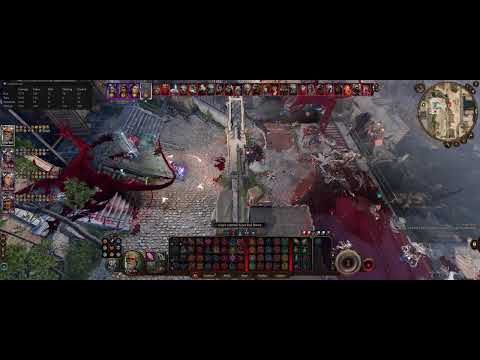
Brawl's Real-Time and Swarm Modes can both be played in single or multiplayer mode. The video above shows a 4-player Swarm Mode game of Trials of Tav Reloaded, a roguelike mod. Currently, companion commands (On Me, Attack My Target, Attack Move, Move Party, Request Heal) and tactics settings apply to all AI companions, regardless of which player they are assigned to, so if your multiplayer game has AI-controlled units, generally all AI companions should be under the control of a single player! (I may change this if there's demand for it, but so far it hasn't been an issue for anyone that I'm aware of.)
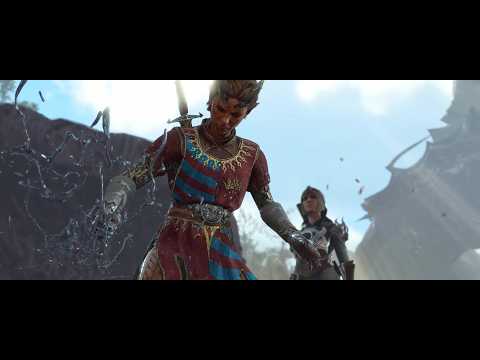
Most campaign fights in BG3 are doable in real-time. However, there are a handful of encounters that have elaborate pre-scripted mechanics, which in some cases will not work properly, or will manifest in a much simpler way, in real-time. For example, in the second fight with Auntie Ethel (in her hideout), she generally won't carry out her elaborate scripted actions throughout the fight.
As far as I know, Swarm Mode works with every encounter in the campaign, and should retain the game's built-in scripted events. For elaborate fights, I generally recommend playing in Swarm Mode (or even just switching back to regular turn-based combat, by pressing F11).
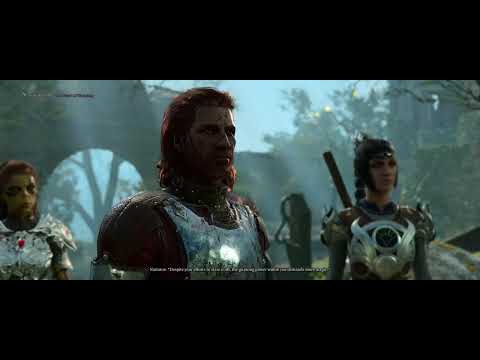
Extra attacks are implemented as add-on attacks whenever a character (who has extra attacks) lands an attack that's eligible to trigger them. These aren't true attacks -- they're just re-applications of your attack's damage. Other abilities that trigger bonus attacks, such as Great Weapon Master, the Monk's bonus unarmed strike, etc, simply add on one extra attack to this chain of attacks. If you have any extra action points or bonus action points (e.g. from Haste, Bloodlust Elixir, Rogue bonus actions, etc), each of these will also add on to the chain of attacks.
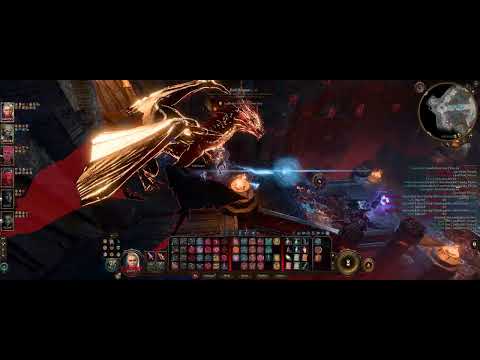
Many people have asked if there's a way to slow down the combat. Unfortunately, I don't have a good way of doing this directly in the mod, but there are third-party tools that can do this easily. The video above uses Speedhack-rs, a free and open-source tool available on Github. To install it, just click on Releases, download the right file and put it in the folder with your BG3 executable -- for me, this was the x64_64 version.dll file, which I put in my C:\Program Files (x86)\Steam\steamapps\common\Baldurs Gate 3\bin folder. In the video, I've set up my configuration file so my game runs at 70% speed (toggled by pressing Ctrl+F). Feel free to copy my config file if the slow motion combat appeals to you!
If you find a problem with the mod, or you have a suggestion or feedback, feel free to leave a post or bug report on Nexus, or open an issue on GitHub. If you're reporting a bug, please include as much detail as you can, including what other mods you're running besides Brawl. (If you're running other mods besides the ones specifically listed as compatible with Brawl in the next section, please disable them and see if that fixes your problem.)
- Brawl uses its own real-time AI system for the companions and enemies. Generally, Real-Time Mode does not work with other AI systems because they are (all?) designed to work specifically with turn-based combat. For Swarm Mode, users have reported that the Gabes Mod companion AI is compatible with Brawl.
- Tested and compatible with Expansion, New Game Plus, Improved UI, Dynamic Sidebar, 5e Spells, No Free NPC Heals, Unlimited Rage, Advanced Tabletop Spells, Community Library, and Compatibility Framework.
- Do Not Attack The Ground can be helpful if you find yourself accidentally clicking on the ground a lot.
- If you find the overhead notifications (e.g. "Stealth failed") to be annoying, I recommend using Hide Overhead Dice Rolls to turn off the overhead display.
- Brawl works well with Trials of Tav and Trials of Tav Reloaded. (In fact, Brawl was originally developed for use specifically with Trials of Tav.)
- Brawl's "Hitpoints Multiplier" health modification setting is compatible with Combat Extender's health settings.
- Users of the Configurable Movement Speed mod should make sure that the "Enable combat settings" box is checked, or the mod may not work correctly with Brawl.
- There are several different party size expansion mods, some of which are not compatible with Brawl. If you want to have more than 4 characters in your party, I recommend just using Brawl's built-in Max Party Size setting.
- Other mods that adjust initiative rolls will have no effect in real-time combat, since Brawl uses its own implementation of initiative rolls. You can adjust Brawl's initiative roll die in the MCM settings.
- Users have reported that the Cheaters Ring, Smarter AI, Real Time Combat, Gojo and Sokuna Subclasses, and Total AI Control - Fully AI Companion v2 mods are incompatible with Brawl.
- If possible, please disable other mods prior to making a bug report. It's generally not practical for me to chase down mod interoperability issues, especially if you have a lot of mods installed.