





Rapid Layout 汇集全网开源的版面分析能力,对文档类图像(论文截图、研报等)进行分析,定位其中的类别与位置,如标题、段落、表格、图片等版面元素。
支持场景概览: 支持表格、中文、英文、论文、研报及通用版面等多种类型,内置 PP 系列、YOLOv8 系列以及推荐的 DocLayout-YOLO 等模型。不同场景版面差异较大,暂无单一模型覆盖所有场景;若业务效果不佳,建议自建训练集微调。完整模型列表与下载见文档站。
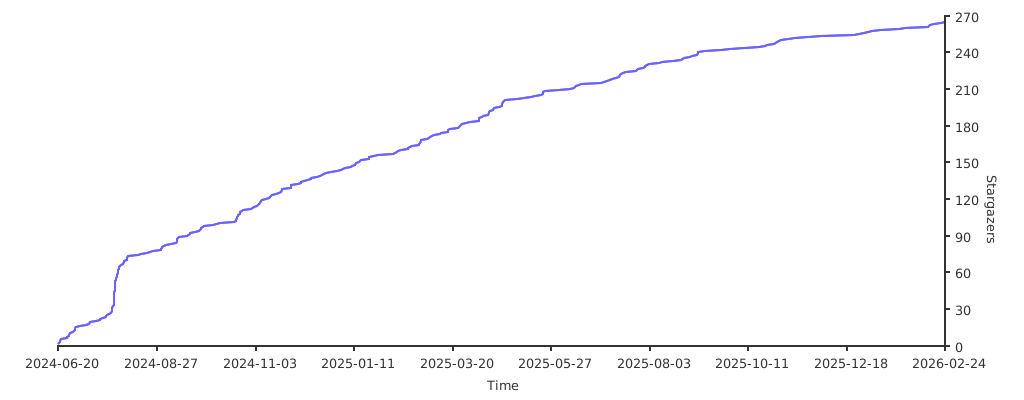
如果您觉得本仓库对您有帮助,欢迎给个 ⭐ 支持一下。
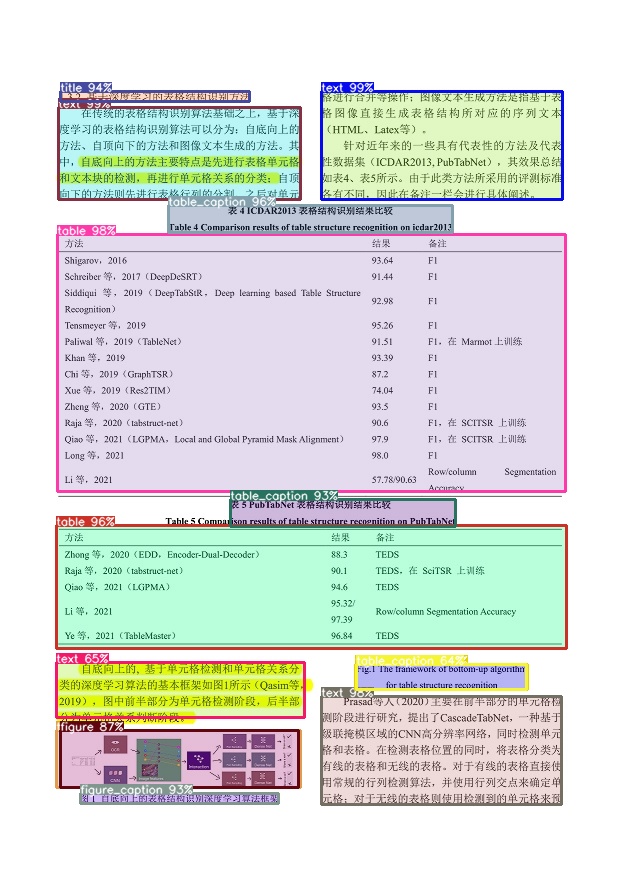
pip install rapid-layout onnxruntimefrom rapid_layout import RapidLayout
layout_engine = RapidLayout()
img_path = "https://raw.githubusercontent.com/RapidAI/RapidLayout/718b60e927ab893c2fad67c98f753b2105a6f421/tests/test_files/layout.jpg"
results = layout_engine(img_path)
print(results)
results.vis("layout_res.png")终端运行:rapid_layout test_images/layout.png
完整文档(安装、使用方式、模型列表、GPU/NPU 配置、参考项目等)请移步:Rapid Layout 文档
版本更新与发布说明请查看:Releases。
欢迎通过 Issue 反馈问题与建议,或通过 Pull Request 参与代码与文档贡献。完整流程请参阅:贡献指南。
若该项目对您的研究有帮助,可考虑引用:
@misc{RapidLayout,
    title={{Rapid Layout}: Document Layout Analysis},
    author={RapidAI Team},
    howpublished = {\url{https://github.com/RapidAI/RapidLayout}},
    year={2024}
}
本项目采用 Apache 2.0 license 开源许可证。