Skip to content

Keep the selected distance rate on offline-created distance expenses - #100623

Open
MelvinBot wants to merge 1 commit into
mainfrom
claude-distanceRateNotSelectedOffline
Open

Keep the selected distance rate on offline-created distance expenses#100623
MelvinBot wants to merge 1 commit into
mainfrom
claude-distanceRateNotSelectedOffline

Conversation

@MelvinBot

Copy link
Copy Markdown
Contributor

Explanation of Change

createDistanceRequest destructured customUnitRateID but only forwarded it to the API params, never to the params used to build the optimistic transaction. buildOptimisticTransaction therefore ran with customUnitRateID: undefined — and because it aliased the draft transaction's own customUnit object instead of copying it, writing that undefined also wiped the rate ID off the draft. The following fastMerge(existingTransaction, optimisticTransaction) had nothing left to restore from, because both sides pointed at the same cleared object.

Online this is invisible: the server response corrects the transaction within about a second. Offline there is no response, so the transaction keeps comment.customUnit.customUnitRateID === undefined, matches no policy rate on the Rate page, and no row is highlighted.

Changes:

  • createDistanceRequest now passes the already-destructured customUnitRateID into the transactionParams it hands to getMoneyRequestInformation.
  • The split-distance path does the same: createSplitsAndOnyxData accepts and forwards customUnitRateID (its params type no longer Omits it).
  • Defense in depth in buildOptimisticTransaction: copy the existing customUnit instead of aliasing it, and only overwrite customUnitRateID when a caller actually passed one. That way no future caller that omits the param can silently wipe the draft's rate.

Added unit tests for both creation paths and for the buildOptimisticTransaction guard. All four fail on main and pass with this change.

Fixed Issues

$ #98194
PROPOSAL: #98194 (comment)

Tests

// TODO: The human co-author must fill out the tests they ran before marking this PR as "ready for review".

  • Verify that no errors appear in the JS console

Offline tests

// TODO: The human co-author must fill out the offline tests they ran before marking this PR as "ready for review".

QA Steps

// TODO: These must be filled out, or the issue title must include "[No QA]."

  • Verify that no errors appear in the JS console

PR Author Checklist

  • I linked the correct issue in the ### Fixed Issues section above
  • I wrote clear testing steps that cover the changes made in this PR
    • I added steps for local testing in the Tests section
    • I added steps for the expected offline behavior in the Offline steps section
    • I added steps for Staging and/or Production testing in the QA steps section
    • I added steps to cover failure scenarios (i.e. verify an input displays the correct error message if the entered data is not correct)
    • I turned off my network connection and tested it while offline to ensure it matches the expected behavior (i.e. verify the default avatar icon is displayed if app is offline)
    • I tested this PR with a High Traffic account against the staging or production API to ensure there are no regressions (e.g. long loading states that impact usability).
  • I included screenshots or videos for tests on all platforms
  • I ran the tests on all platforms & verified they passed on:
    • Android: Native
    • Android: mWeb Chrome
    • iOS: Native
    • iOS: mWeb Safari
    • MacOS: Chrome / Safari
  • I verified there are no console errors (if there's a console error not related to the PR, report it or open an issue for it to be fixed)
  • I followed proper code patterns (see Reviewing the code)
    • I verified that comments were added to code that is not self explanatory
    • I verified that any new or modified comments were clear, correct English, and explained "why" the code was doing something instead of only explaining "what" the code was doing.
    • I verified any copy / text that was added to the app is grammatically correct in English. It adheres to proper capitalization guidelines (note: only the first word of header/labels should be capitalized), and is either coming verbatim from figma or has been approved by marketing (in order to get marketing approval, ask the Bug Zero team member to add the Waiting for copy label to the issue)
  • If a new code pattern is added I verified it was agreed to be used by multiple Expensify engineers
  • I followed the guidelines as stated in the Review Guidelines
  • I tested other components that can be impacted by my changes (i.e. if the PR modifies a shared library or component like Avatar, I verified the components using Avatar are working as expected)
  • If a new CSS style is added I verified that:
    • A similar style doesn't already exist
    • The style can't be created with an existing StyleUtils function (i.e. StyleUtils.getBackgroundAndBorderStyle(theme.componentBG))
  • If new assets were added or existing ones were modified, I verified that:
    • The assets are optimized and compressed (for SVG files, run npm run compress-svg)
    • The assets load correctly across all supported platforms.
  • If the PR modifies code that runs when editing or sending messages, I tested and verified there is no unexpected behavior for all supported markdown - URLs, single line code, code blocks, quotes, headings, bold, strikethrough, and italic.
  • If the PR modifies a generic component, I tested and verified that those changes do not break usages of that component in the rest of the App (i.e. if a shared library or component like Avatar is modified, I verified that Avatar is working as expected in all cases)
  • If the PR modifies a component related to any of the existing Storybook stories, I tested and verified all stories for that component are still working as expected.
  • If the PR modifies a component or page that can be accessed by a direct deeplink, I verified that the code functions as expected when the deeplink is used - from a logged in and logged out account.
  • If the PR modifies the UI (e.g. new buttons, new UI components, changing the padding/spacing/sizing, moving components, etc) or modifies the form input styles:
    • I verified that all the inputs inside a form are aligned with each other.
    • I added Design label and/or tagged @Expensify/design so the design team can review the changes.
  • I added unit tests for any new feature or bug fix in this PR to help automatically prevent regressions in this user flow.
  • If the main branch was merged into this PR after a review, I tested again and verified the outcome was still expected according to the Test steps.

Screenshots/Videos

Android: Native
Android: mWeb Chrome
iOS: Native
iOS: mWeb Safari
MacOS: Chrome / Safari

createDistanceRequest destructured customUnitRateID but only forwarded it to the API params, so the optimistic transaction was built with customUnitRateID undefined. buildOptimisticTransaction aliased the draft's customUnit object and then wrote that undefined onto it, wiping the draft's rate too, so the following fastMerge could not restore it. Offline there is no server response to correct the transaction, so the Rate page highlighted nothing.

Co-authored-by: abdulrahuman5196 <abdulrahuman5196@users.noreply.github.com>
@MelvinBot
MelvinBot requested a review from a team September 8, 2026 18:23
@melvin-bot melvin-bot Bot added Melvin-Test-Android Melvin-Test-Web Triggers Melvin to run the testing steps of the PR on web labels Sep 8, 2026
@MelvinBot

MelvinBot commented Sep 8, 2026

Copy link
Copy Markdown
Contributor Author

🤖 Web test steps verification results: ✅ pass

Created a workspace and opened its expense chat, forced the app offline, created a manual distance expense with typed start/stop waypoints while offline, and confirmed the Rate selection page shows the expense's rate (Default Rate) as selected with a checkmark — verifying the offline distance-rate-selection fix. The PR's Tests section is still a // TODO placeholder, so I ran the reproduction steps documented in #98194.

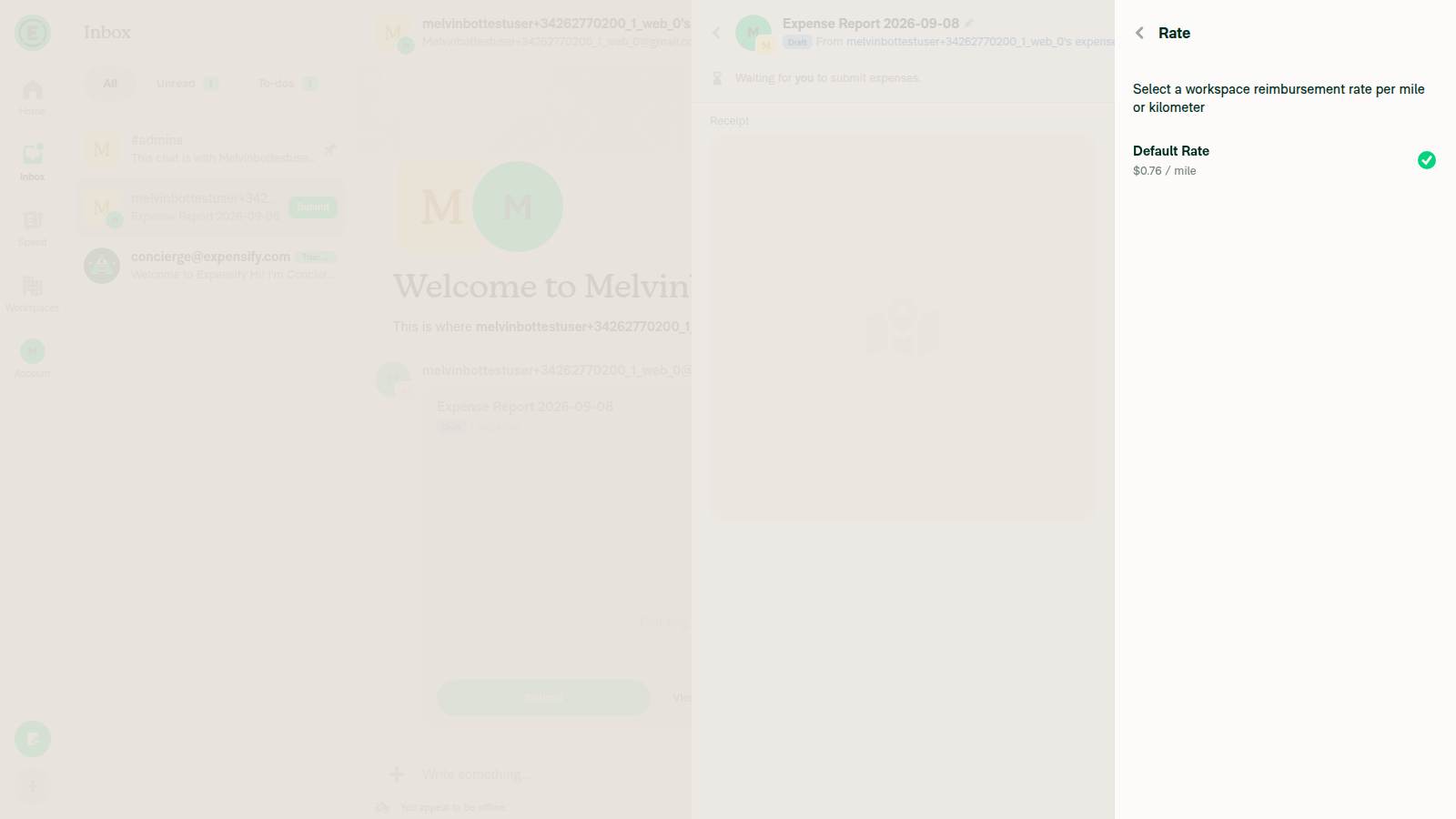
Rate selection page - 'Default Rate' row shows a green checkmark (selected)

Step Status
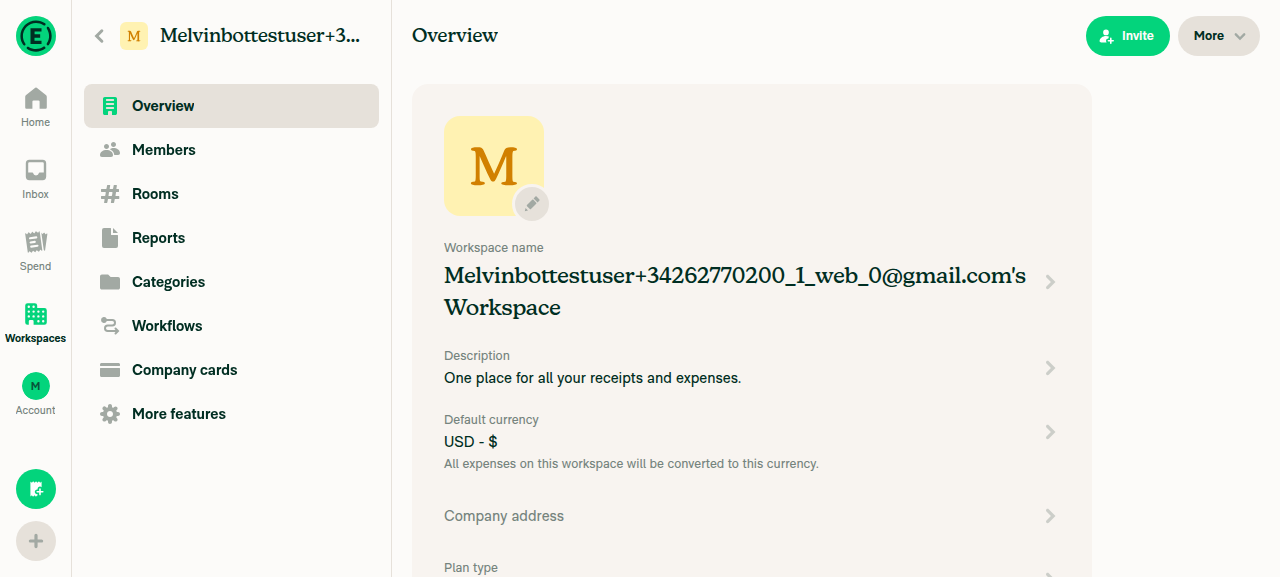
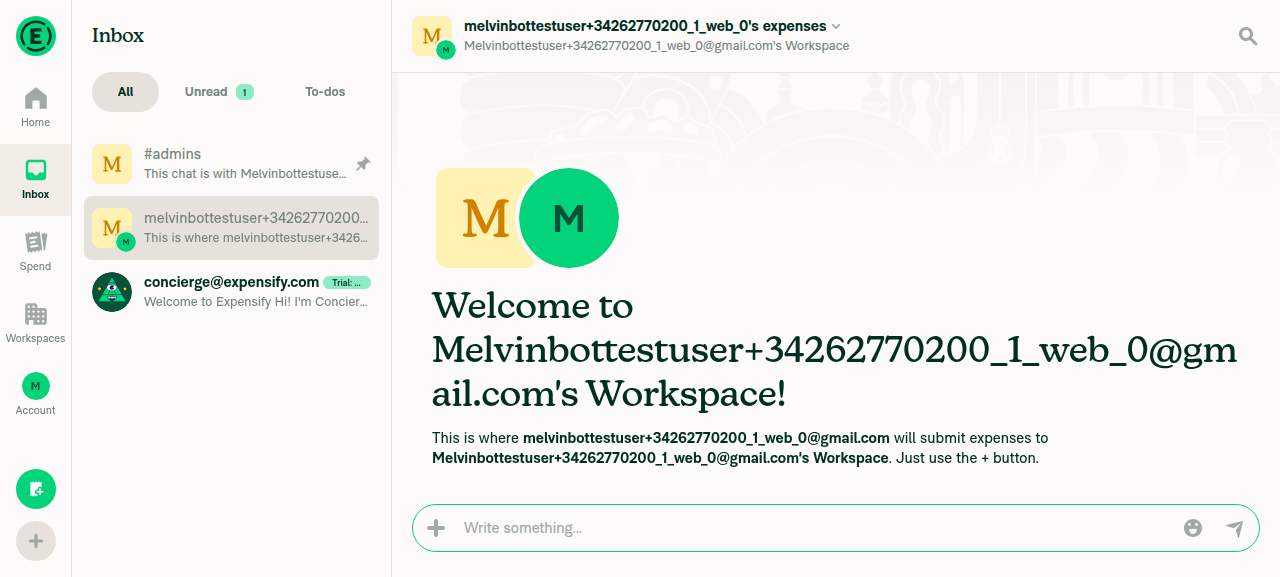
VERIFY 1: Open a workspace chat (create workspace first since account had none)No workspaces existed initially. Created a workspace via Workspaces > New workspace > Confirm. Opened Inbox and its workspace expense chat rendered with the standard welcome message.
Workspace created (Overview page)
Workspace expense chat opened in Inbox
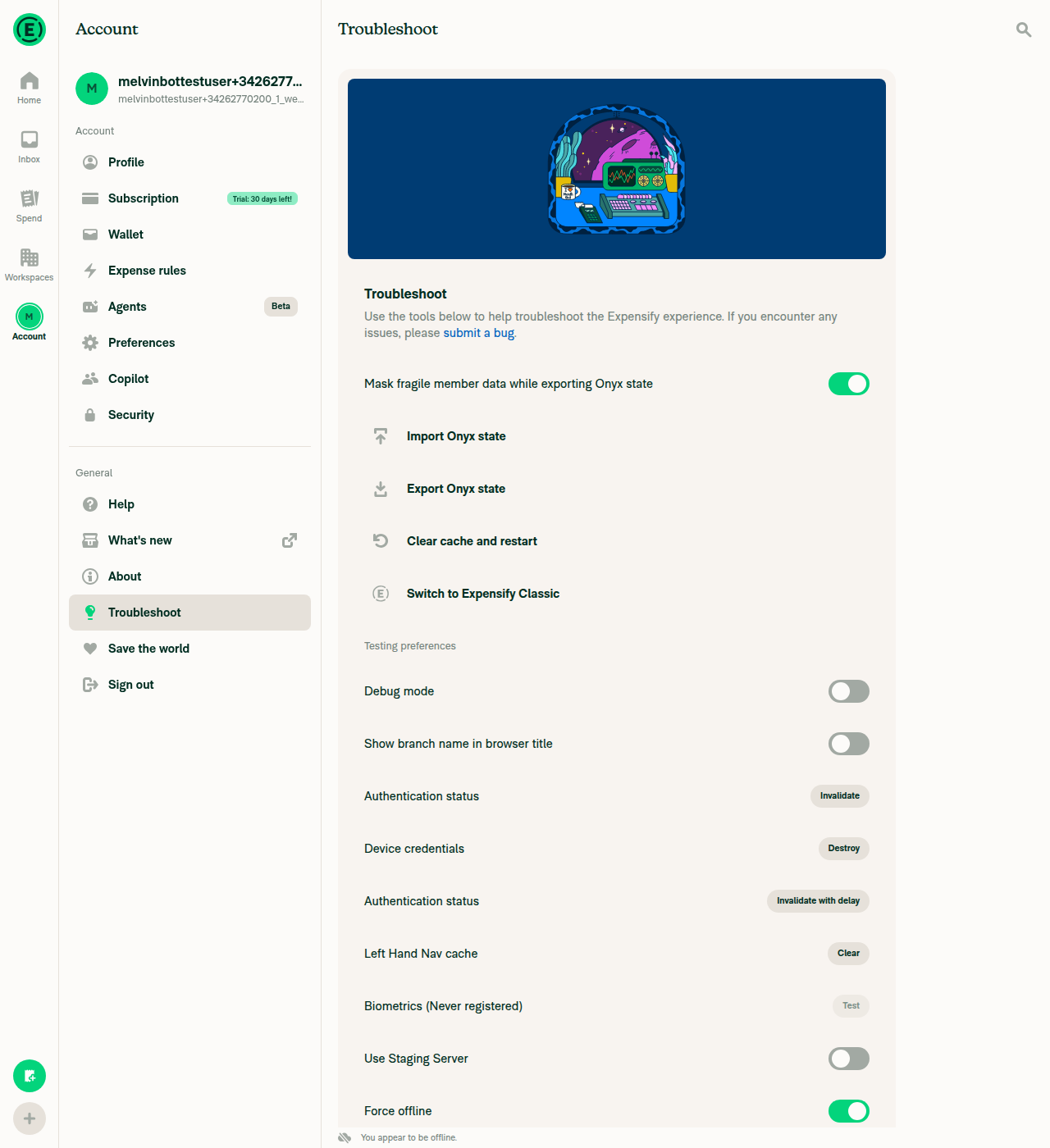
VERIFY 2: Go offline via Troubleshoot settings and the offline indicator showsAccount > Troubleshoot > toggled "Force offline" to ON (green). The bottom-left "You appear to be offline" indicator appeared and persisted through the rest of the session.
Force offline switch toggled on with offline indicator
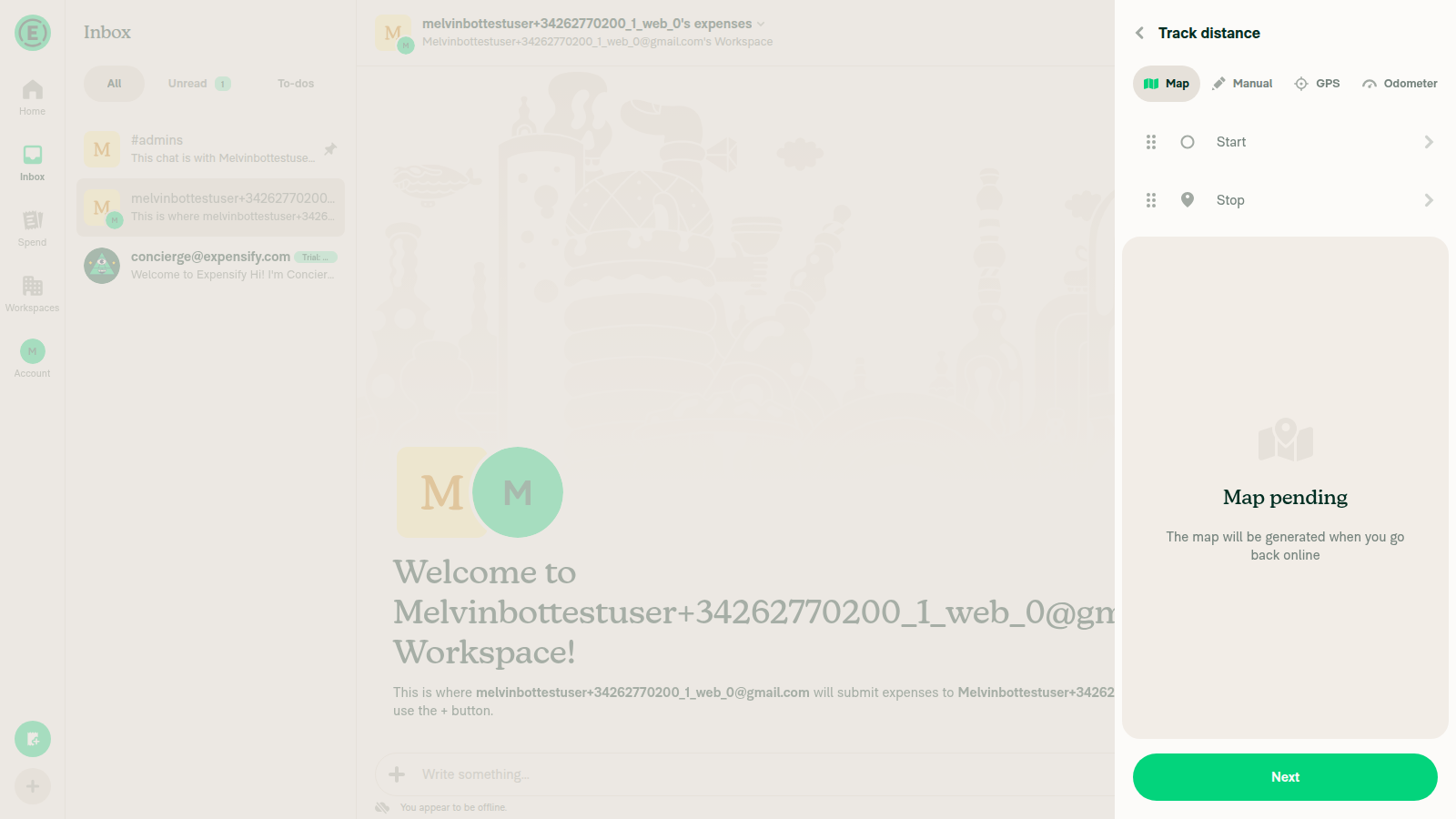
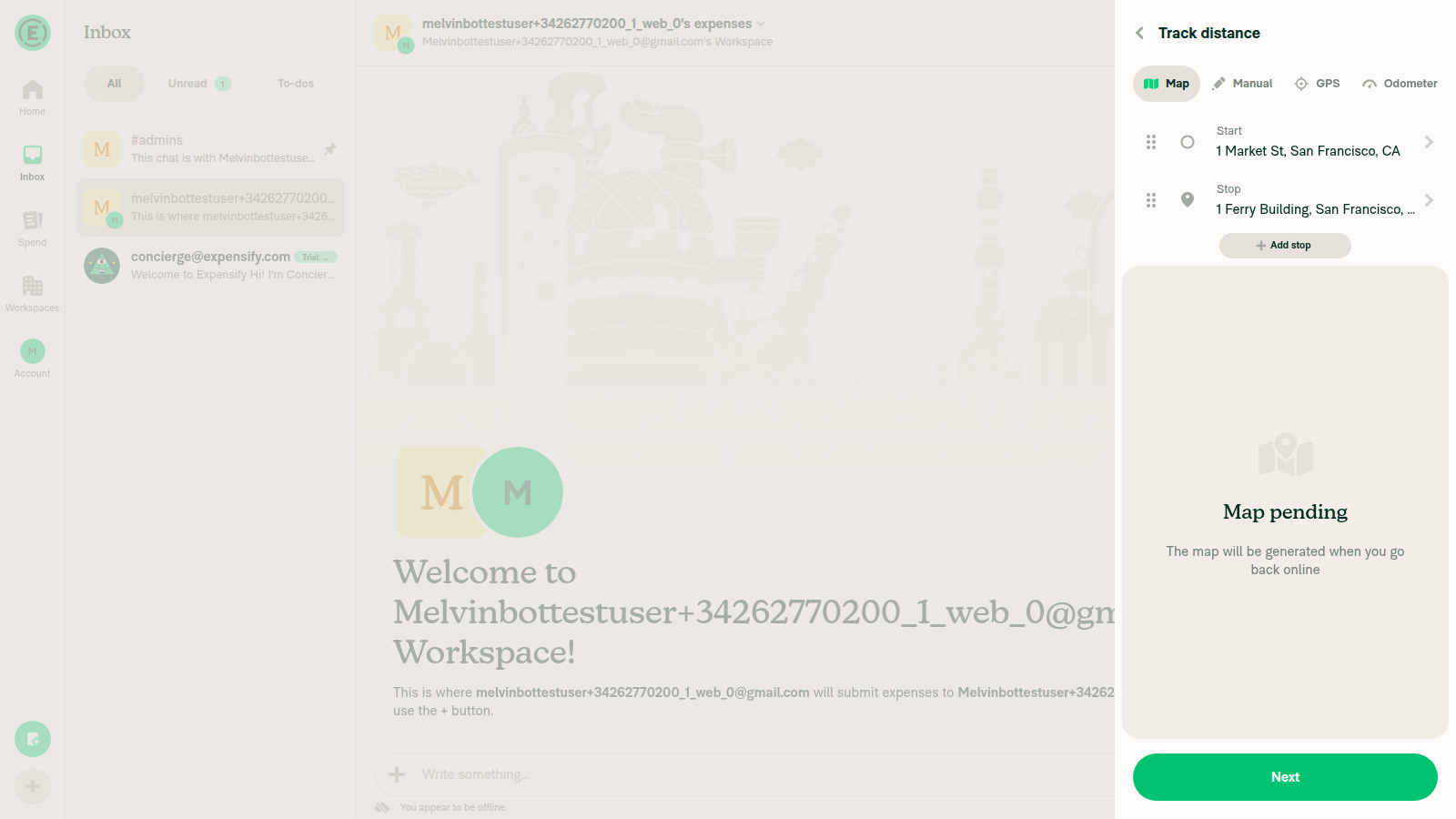
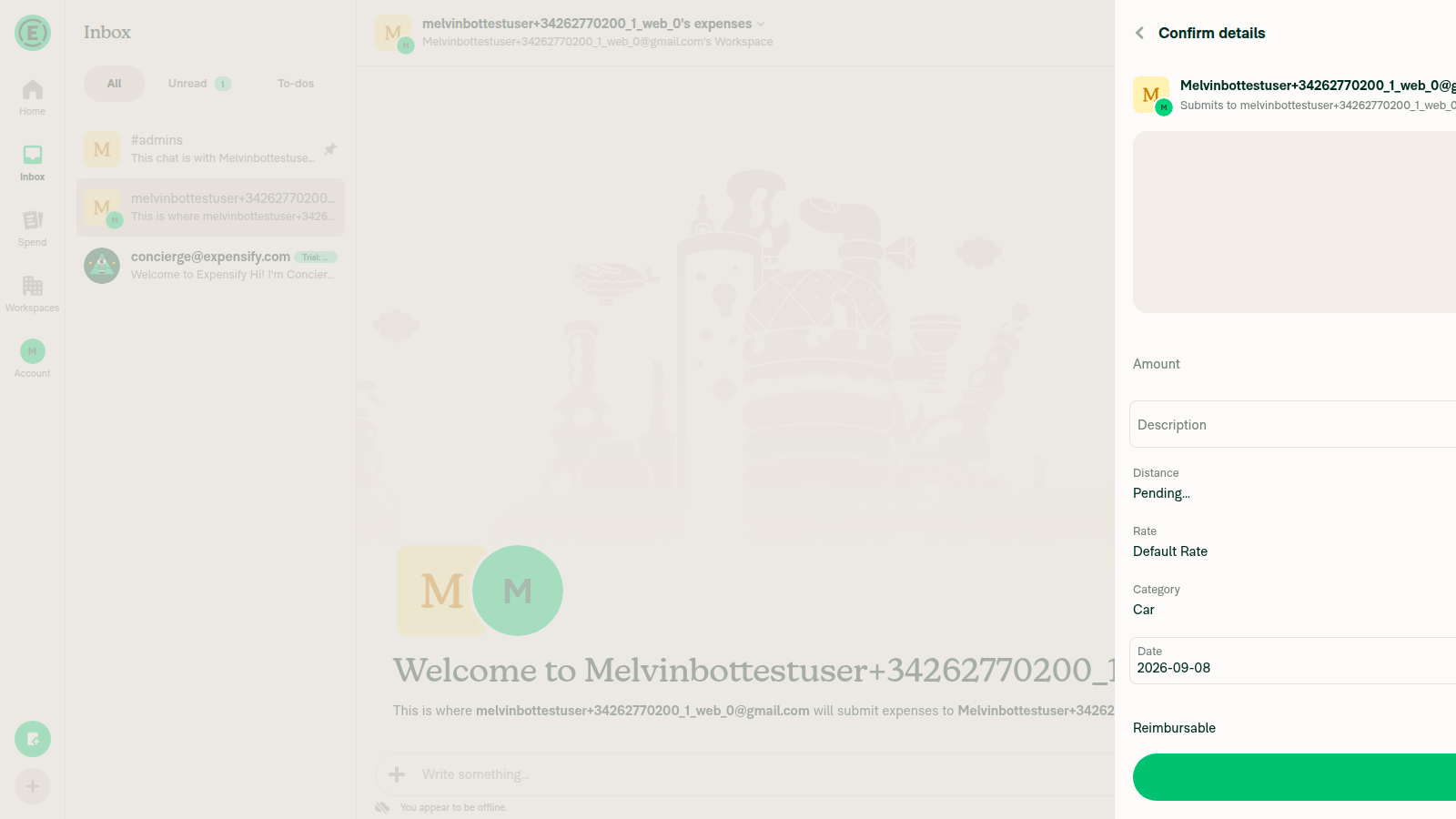
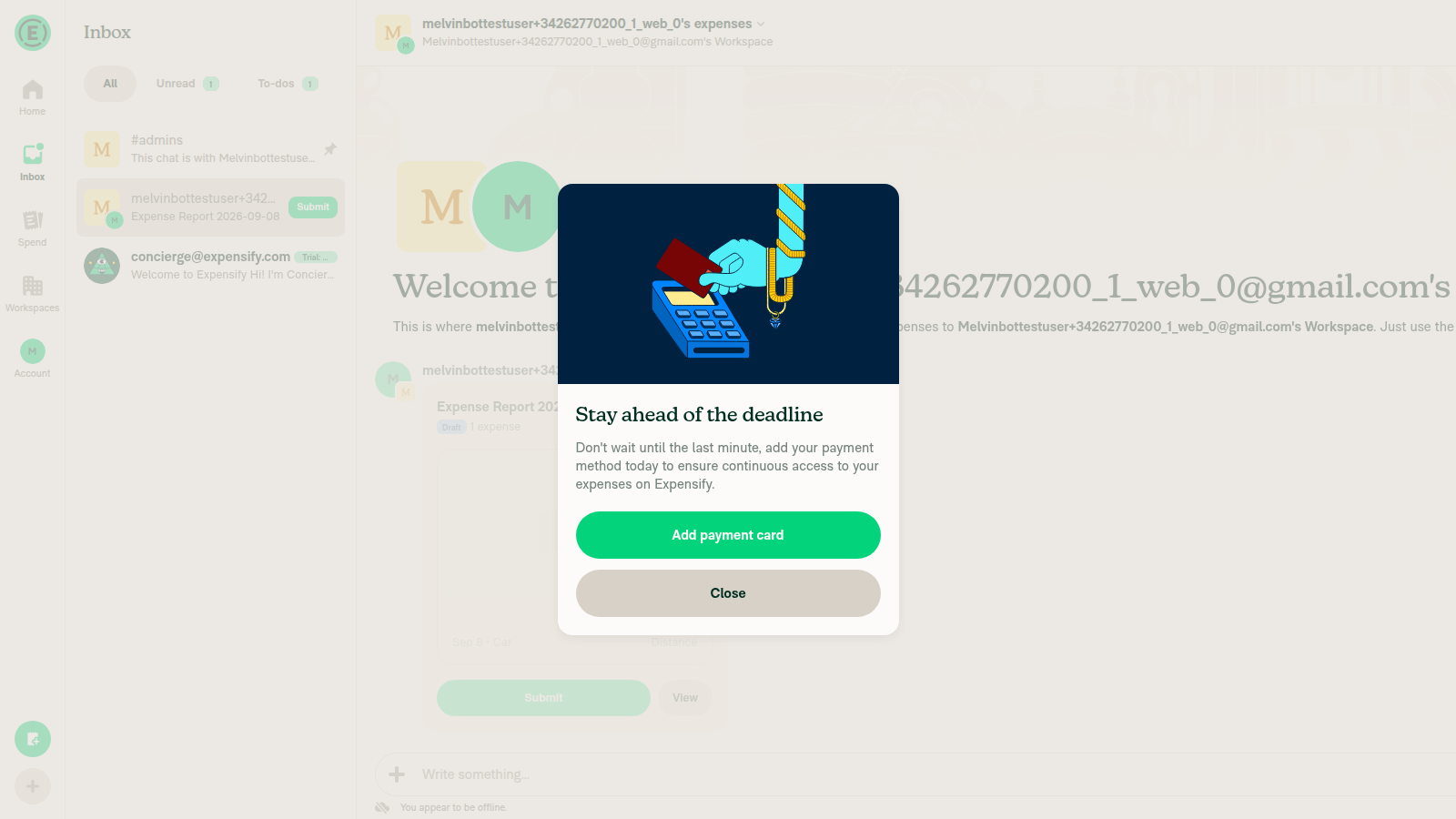
VERIFY 3: While offline, create a manual distance expense in the workspace chatFrom the composer "+" menu chose "Track distance". The Map tab showed "Map pending - the map will be generated when you go back online", confirming offline mode. Entered Start = 1 Market St, San Francisco, CA and Stop = 1 Ferry Building, San Francisco, CA as free-typed addresses (autocomplete returned "No results found" while offline). Clicked Next, confirmed details (Distance: Pending..., Rate: Default Rate, Category: Car), then "Create expense". The expense was created into a new draft report while still offline.
Track distance screen showing Map pending while offline
Start and Stop waypoints entered offline
Confirm details screen with Rate: Default Rate before submit
Distance expense created into new draft report while offline
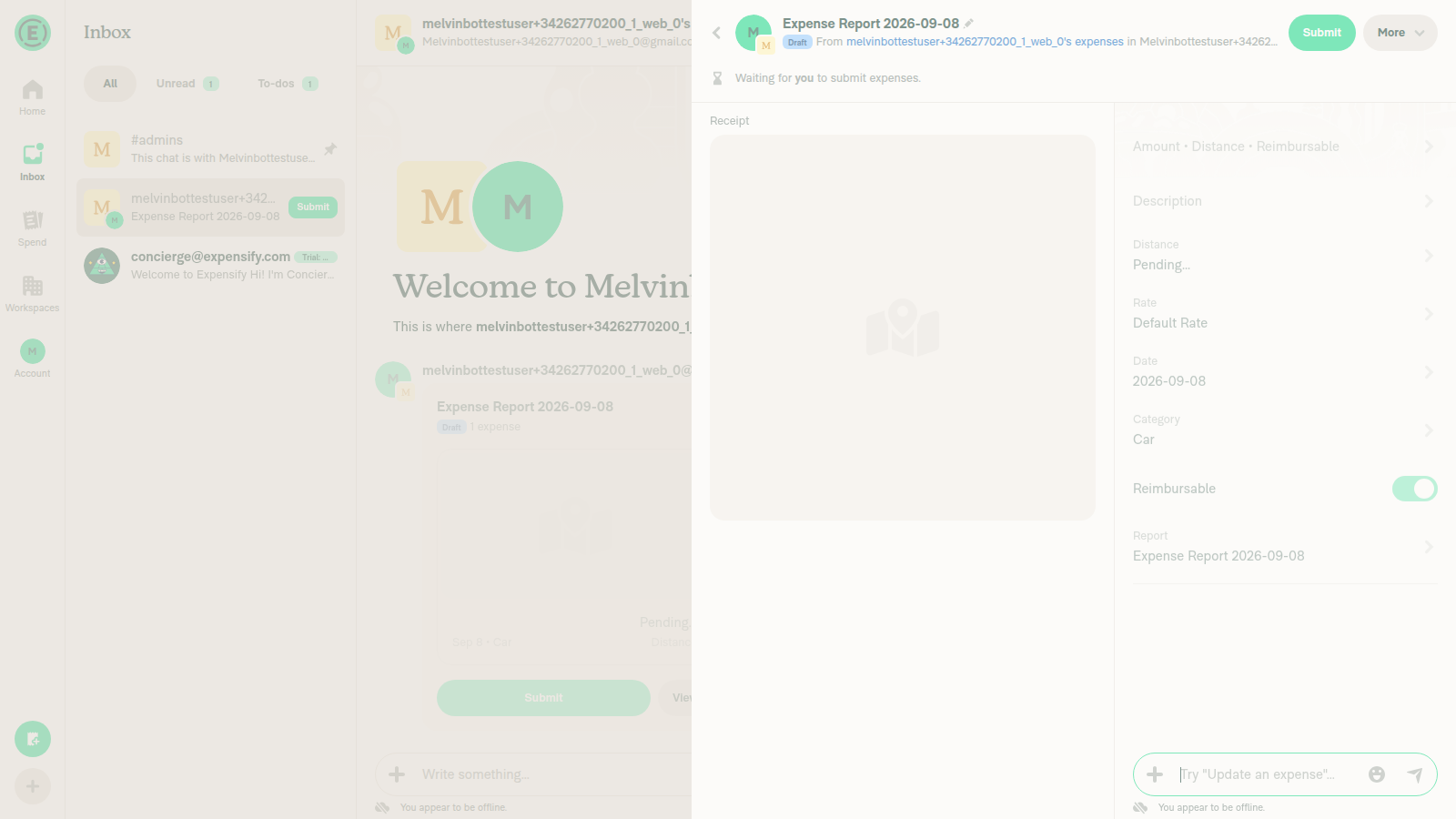
VERIFY 4: Opening the offline-created distance expense shows its details page with a Rate fieldOpened the expense via "View". The details page showed Distance: Pending... and a Rate field reading "Default Rate", alongside Date, Category, Reimbursable, and Report. Offline indicator still visible.
Expense details page showing the Rate field (Default Rate)
VERIFY 5: Clicking Rate opens the Rate page and the rate used for the expense IS selectedClicked the Rate field, opening the "Rate" page ("Select a workspace reimbursement rate per mile or kilometer"). The workspace has a single rate, "Default Rate" ($0.76 / mile), and that row shows a green checkmark on the right — it IS selected. This is the behavior the issue reported as broken.
Rate selection page - Default Rate row shows a green checkmark (selected)
VERIFY 6: No JS console errors related to this flowBrowser console inspection is not supported for the web driver in this harness, so this is based on absence of visible errors rather than a console dump: no error banners, toasts, or broken UI states appeared at any step.
⚠️

Two caveats worth noting: the test workspace had only one distance rate, so this confirms the rate stays selected but does not distinguish between multiple rates; and VERIFY 6 could not be checked against a real console dump.


view run · no recording available

@abdulrahuman5196

Copy link
Copy Markdown
Contributor

@MelvinBot publish the PR

@MelvinBot
MelvinBot marked this pull request as ready for review September 9, 2026 04:42
@MelvinBot
MelvinBot requested a review from a team as a code owner September 9, 2026 04:42
@melvin-bot
melvin-bot Bot requested review from abdulrahuman5196 and removed request for a team September 9, 2026 04:42
@melvin-bot

melvin-bot Bot commented Sep 9, 2026

Copy link
Copy Markdown

@abdulrahuman5196 Please copy/paste the Reviewer Checklist from here into a new comment on this PR and complete it. If you have the K2 extension, you can simply click: [this button]

@melvin-bot
melvin-bot Bot requested review from flaviadefaria and removed request for a team September 9, 2026 04:42
@MelvinBot

MelvinBot commented Sep 9, 2026

Copy link
Copy Markdown
Contributor Author

🤖 Published — this PR is out of draft and ready for review. PullerBear picked it up and assigned Product-PR plus you as reviewers.

All checks pass except Check independent approval, which is expected until a reviewer approves.

Two things still need a human:

  • Tests, Offline tests, and QA Steps are still // TODO placeholders. I can't fill those out on your behalf — a human co-author has to write the steps they actually ran.
  • The PR Author Checklist is unchecked.

For reference, I did verify the fix on web ahead of this (earlier comment): created a workspace expense chat, went offline, created a manual distance expense, and confirmed the Rate page shows the expense's rate selected.


view run · view recording

Sign up for free to join this conversation on GitHub. Already have an account? Sign in to comment

Labels

Melvin-Test-Android Melvin-Test-Web Triggers Melvin to run the testing steps of the PR on web

Projects

None yet

Development

Successfully merging this pull request may close these issues.

2 participants