Skip to content

Disable copilot row while its removal is pending offline - #100622

Draft
MelvinBot wants to merge 1 commit into
mainfrom
claude-copilotPendingDeleteRowDisabled
Draft

Disable copilot row while its removal is pending offline#100622
MelvinBot wants to merge 1 commit into
mainfrom
claude-copilotPendingDeleteRowDisabled

Conversation

@MelvinBot

Copy link
Copy Markdown
Contributor

Explanation of Change

When you remove a copilot while offline, removeDelegate keeps the delegate in the list and marks it with pendingAction: 'delete', setting both pendingFields.email and pendingFields.role. The row renders with a strikethrough, but it stays pressable.

The row's onPress in CopilotPage branched only on the shape of pendingFields, never on the value of pendingAction. addDelegate writes the identical {email, role} shape, so a pending-delete row was indistinguishable from an interrupted add and fell through to the final branch, navigating to SETTINGS_DELEGATE_CONFIRM — an RHP with a tappable access-level selector for a copilot the user just removed.

This makes a delegate row non-interactive while its removal is pending: it sets disabled when pendingAction === CONST.RED_BRICK_ROAD_PENDING_ACTION.DELETE and suppresses the three-dot affordance for that row, so there is no dead-looking control.

This mirrors the delegator rows a few lines below in the same file, which already use disabled: isPending || isCurrentUser, and matches existing precedent for pending-delete rows in DomainsListPage, WorkspacesListPage, and PaymentMethodList.

A unit test was added to tests/unit/pages/settings/CopilotPageTest.tsx covering the pending-delete row: it asserts the three-dot icon is gone and that pressing the row does not navigate. The test fails without the source change.

AI tests run

Run locally against the changed files:

  • npm run lint-changed — pass
  • npm run typecheck — pass
  • npm run spell-changed -- <changed files> — pass
  • npm run react-compiler-compliance-check check src/pages/settings/Copilot/CopilotPage.tsx — pass
  • npm run test -- --silent tests/unit/pages/settings tests/unit/withAgentAccessDenied.test.tsx — 14 suites / 84 tests pass

Could not run:

  • npm run react-compiler-compliance-check check-changed — fails in this environment before it does any checking, with Could not get commit hash for origin/ (empty base ref, git merge-base error). The single-file check form above was run instead. Same environment limitation hit npm run spell-changed with no arguments, so the changed files were passed explicitly.

A live browser verification of the offline flow was attempted but the test session rendered a blank page and never reached Settings, so there is no screenshot evidence attached. The flow still needs a manual pass.

Fixed Issues

$ #97948
PROPOSAL: #97948 (comment)

Tests

// TODO: The human co-author must fill out the tests they ran before marking this PR as "ready for review".

  • Verify that no errors appear in the JS console

Offline tests

QA Steps

// TODO: These must be filled out, or the issue title must include "[No QA]."

  • Verify that no errors appear in the JS console

PR Author Checklist

  • I linked the correct issue in the ### Fixed Issues section above
  • I wrote clear testing steps that cover the changes made in this PR
    • I added steps for local testing in the Tests section
    • I added steps for the expected offline behavior in the Offline steps section
    • I added steps for Staging and/or Production testing in the QA steps section
    • I added steps to cover failure scenarios (i.e. verify an input displays the correct error message if the entered data is not correct)
    • I turned off my network connection and tested it while offline to ensure it matches the expected behavior (i.e. verify the default avatar icon is displayed if app is offline)
    • I tested this PR with a High Traffic account against the staging or production API to ensure there are no regressions (e.g. long loading states that impact usability).
  • I included screenshots or videos for tests on all platforms
  • I ran the tests on all platforms & verified they passed on:
    • Android: Native
    • Android: mWeb Chrome
    • iOS: Native
    • iOS: mWeb Safari
    • MacOS: Chrome / Safari
  • I verified there are no console errors (if there's a console error not related to the PR, report it or open an issue for it to be fixed)
  • I followed proper code patterns (see Reviewing the code)
    • I verified that comments were added to code that is not self explanatory
    • I verified that any new or modified comments were clear, correct English, and explained "why" the code was doing something instead of only explaining "what" the code was doing.
    • I verified any copy / text that was added to the app is grammatically correct in English. It adheres to proper capitalization guidelines (note: only the first word of header/labels should be capitalized), and is either coming verbatim from figma or has been approved by marketing (in order to get marketing approval, ask the Bug Zero team member to add the Waiting for copy label to the issue)
  • If a new code pattern is added I verified it was agreed to be used by multiple Expensify engineers
  • I followed the guidelines as stated in the Review Guidelines
  • I tested other components that can be impacted by my changes (i.e. if the PR modifies a shared library or component like Avatar, I verified the components using Avatar are working as expected)
  • If a new CSS style is added I verified that:
    • A similar style doesn't already exist
    • The style can't be created with an existing StyleUtils function (i.e. StyleUtils.getBackgroundAndBorderStyle(theme.componentBG))
  • If new assets were added or existing ones were modified, I verified that:
    • The assets are optimized and compressed (for SVG files, run npm run compress-svg)
    • The assets load correctly across all supported platforms.
  • If the PR modifies code that runs when editing or sending messages, I tested and verified there is no unexpected behavior for all supported markdown - URLs, single line code, code blocks, quotes, headings, bold, strikethrough, and italic.
  • If the PR modifies a generic component, I tested and verified that those changes do not break usages of that component in the rest of the App (i.e. if a shared library or component like Avatar is modified, I verified that Avatar is working as expected in all cases)
  • If the PR modifies a component related to any of the existing Storybook stories, I tested and verified all stories for that component are still working as expected.
  • If the PR modifies a component or page that can be accessed by a direct deeplink, I verified that the code functions as expected when the deeplink is used - from a logged in and logged out account.
  • If the PR modifies the UI (e.g. new buttons, new UI components, changing the padding/spacing/sizing, moving components, etc) or modifies the form input styles:
    • I verified that all the inputs inside a form are aligned with each other.
    • I added Design label and/or tagged @Expensify/design so the design team can review the changes.
  • I added unit tests for any new feature or bug fix in this PR to help automatically prevent regressions in this user flow.
  • If the main branch was merged into this PR after a review, I tested again and verified the outcome was still expected according to the Test steps.

Screenshots/Videos

Android: Native
Android: mWeb Chrome
iOS: Native
iOS: mWeb Safari
MacOS: Chrome / Safari

Co-authored-by: Roji Philip <rojiphil@users.noreply.github.com>
@MelvinBot
MelvinBot requested a review from a team September 8, 2026 18:07
@melvin-bot melvin-bot Bot added Melvin-Test-Android Melvin-Test-Web Triggers Melvin to run the testing steps of the PR on web labels Sep 8, 2026
@MelvinBot

MelvinBot commented Sep 8, 2026

Copy link
Copy Markdown
Contributor Author

🤖 Android test steps verification results: ❌ fail

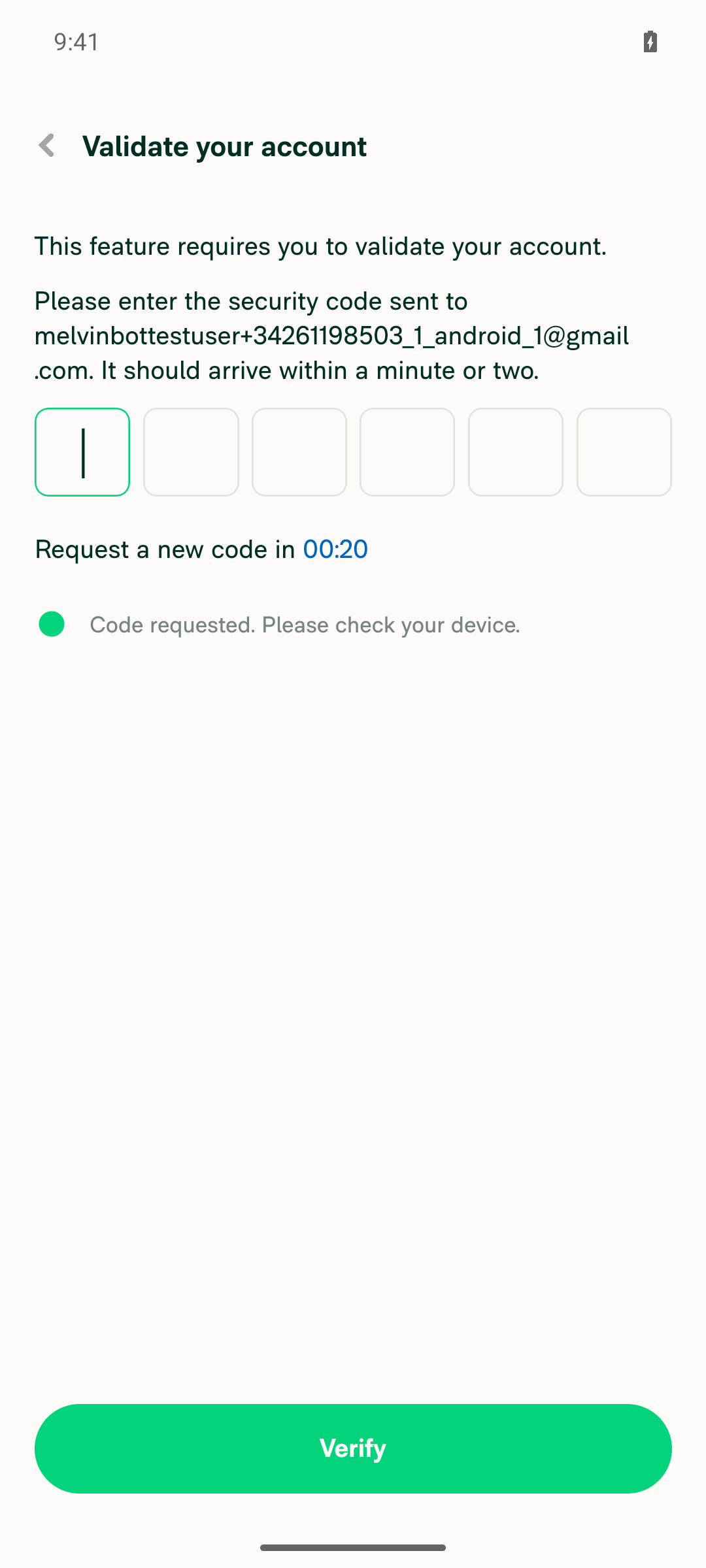
I couldn't run the flow on Android. The PR body's Tests section is still the // TODO placeholder, so I used the repro steps from #97948. Those steps require an account that already has a copilot, and the CI account (melvinbottestuser+34261198503_1_android_1@gmail.com) is brand new with none. Tapping Add a copilot goes straight to a magic-code screen, which no CI run can clear, so the offline-remove flow was never reached.

Validate your account magic-code screen shown after tapping Add a copilot

Step Status
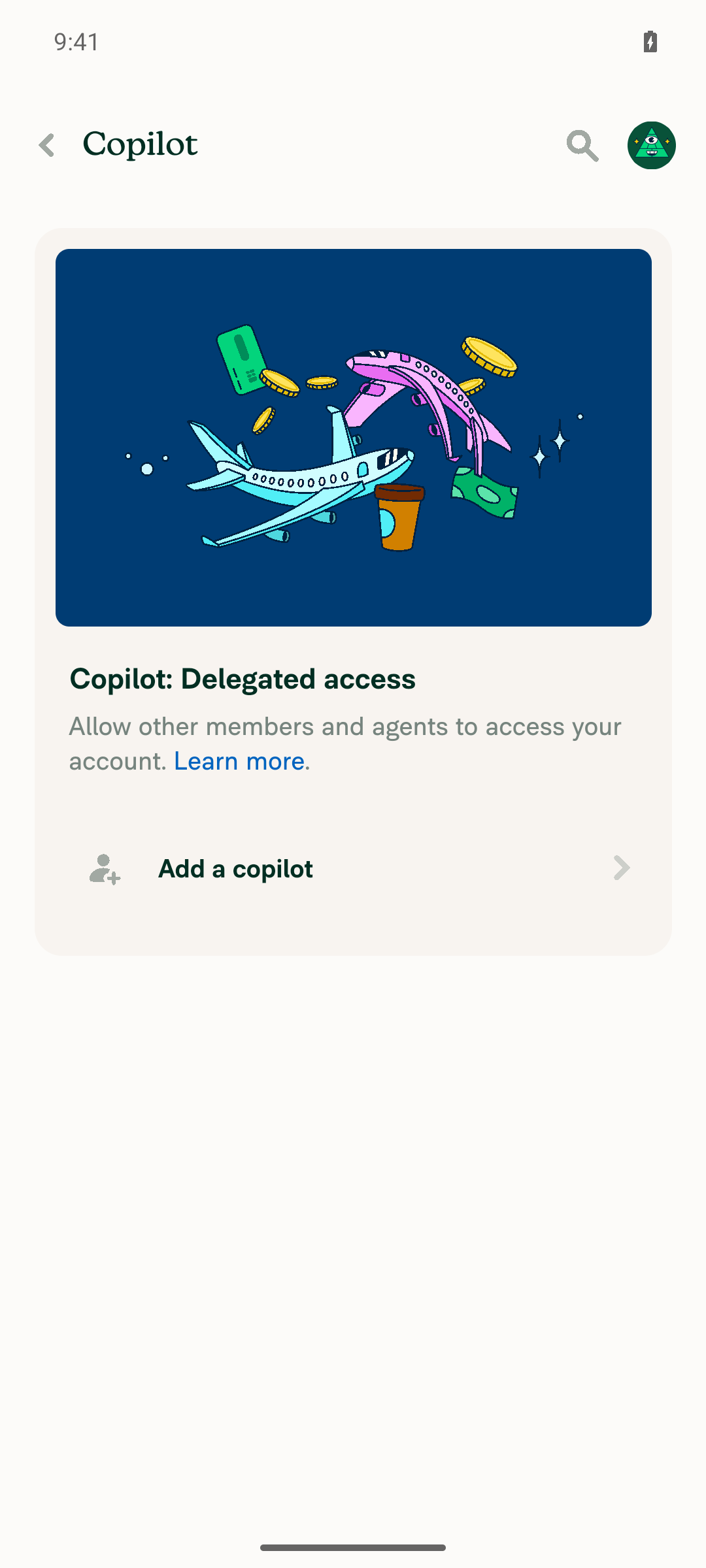
1. Signed in as the main account, navigate to Account settings > Security > Copilot and see the existing copilot listedCompleted the CI-prestarted session bring-up (Join → notification prompt → skip work email → "Something else" → name → Home), then opened Account > Copilot. The page renders only the "Copilot: Delegated access" section with "Add a copilot" — no delegate rows. Precondition unmet.
Copilot: Delegated access page with no copilots listed, only 'Add a copilot'
Precondition fallback: add a copilot so the removal flow can be testedTapping "Add a copilot" navigates to "Validate your account" asking for the security code sent to the account email, because the fresh CI account is unvalidated. A magic-code screen is a hard blocker on automated runs. Even on a validated account, the add-delegate flow ends in ConfirmDelegateValidateCodePage, which is also a magic-code step.
Validate your account magic-code screen shown after tapping Add a copilot
2. Go offlineNot reached — no copilot row existed to act on.
3. Tap the three-dot button on the copilot row and choose Remove copilot, confirming the removalNot reached — blocked by the missing copilot precondition.
4. The row renders with strikethrough / pending-delete styling and no three-dot buttonNot verifiable on device. Code reading only: the delegate row computes isPendingDelete from pendingAction === CONST.RED_BRICK_ROAD_PENDING_ACTION.DELETE and drops iconRight / shouldShowRightIcon for that row in src/pages/settings/Copilot/CopilotPage.tsx. This is static inspection, not runtime evidence.
5. Tapping the strikethrough row does nothing — no access-level RHP opensNot verifiable on device. Code reading only: the same row sets disabled: isPendingDelete while keeping interactive, so the press handler is expected to be suppressed by MenuItem's disabled path — unconfirmed at runtime.
6. No JS console / redbox errors appear during the flowOnly partially observable: no redbox or bundle error during onboarding, navigation to Copilot, or the Add-a-copilot tap, and Metro stayed healthy. Since the target flow never ran, this can't be counted as satisfied for this PR's behavior.

To get this verified on Android, the run needs a session whose account is already validated and already has a saved copilot seeded before the run — both account validation and delegate creation end in magic-code screens I can't clear. Until then, the isPendingDelete branch is covered only by the unit test in tests/unit/pages/settings/CopilotPageTest.tsx.


view run · view recording

@MelvinBot

MelvinBot commented Sep 8, 2026

Copy link
Copy Markdown
Contributor Author

🤖 Web test steps verification results: ❌ fail

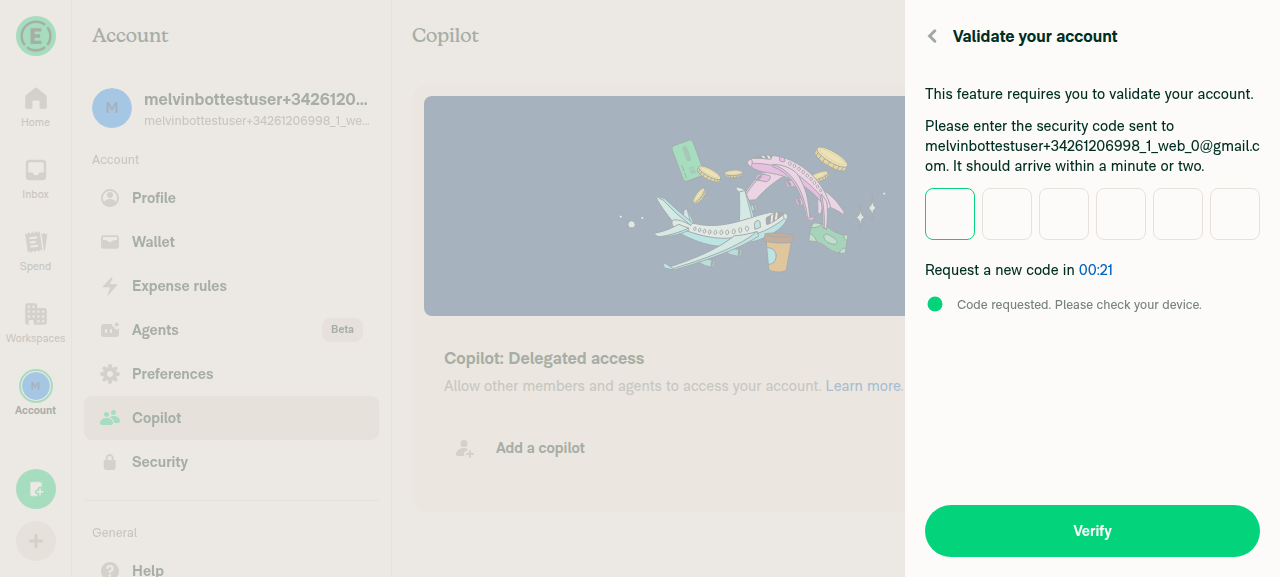
I couldn't test the fix on dev NewDot web. The PR body's Tests section is still the // TODO placeholder, so I used the repro steps from #97948, which require an account that already has a copilot. The freshly minted CI account (melvinbottestuser+34261206998_1_web_0@gmail.com) has none, and adding one is gated behind an account-validation magic code that no CI run can retrieve, so steps 1–6 were never exercised.

Validate your account magic-code RHP with 6-digit security code field blocking the Add a copilot flow

Step Status
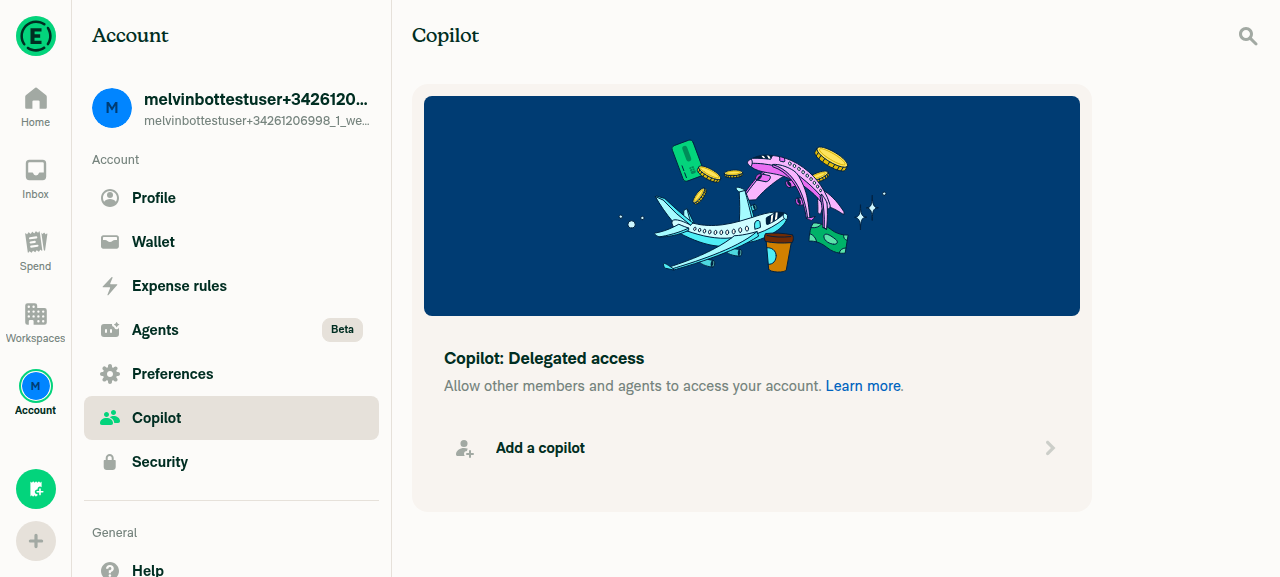
1. Signed in as the main account, navigate to Account settings > Security > Copilot and see the existing copilot listedReached Account > Copilot ("Copilot: Delegated access"). The section contains only the "Add a copilot" row — no delegate rows exist. Precondition unmet.
Account > Copilot page on dev NewDot web showing Copilot: Delegated access with only an 'Add a copilot' row and no existing copilot
Precondition fallback: add a copilot so the removal flow can be testedClicking "Add a copilot" immediately opened a "Validate your account" RHP asking for the 6-digit security code sent to the account email — the email/role form is never reached. The account arrived unvalidated (Home showed a "Validate your account" banner), which is what triggers this gate. The code is only obtainable from that mailbox, so this is a hard stop. Backed out without submitting anything.
Validate your account magic-code RHP with 6-digit security code field blocking the Add a copilot flow
2. Go offline (in-app offline mode)Not attempted — no copilot row exists to put into a pending-delete state, so the offline step would prove nothing.
3. Click the three-dot button on the copilot row and choose Remove copilot, confirming the removalNot reachable — no copilot row on the page.
4. The pending-delete row renders with strikethrough styling and no three-dot buttonNot exercised in the running app. Code inspection only, informational rather than a verdict: the delegate row in src/pages/settings/Copilot/CopilotPage.tsx derives isPendingDelete from pendingAction === CONST.RED_BRICK_ROAD_PENDING_ACTION.DELETE, then drops iconRight and sets shouldShowRightIcon: !isOwnerRow && !isPendingDelete. That matches the intended behavior but was not confirmed at runtime.
5. Clicking the strikethrough row does nothing — no access-level RHP opensNot exercised in the running app. Code inspection only: the same row sets disabled: isPendingDelete alongside onPress and interactive: !isOwnerRow, so the press is expected to be suppressed while the delete is pending — unverified at runtime.
6. No JS console errors appear during the flowNot assessable. The target flow never ran, and browser console capture is out of scope for the web driver. No error UI or crash appeared during the steps that did run (Home → Account → Copilot → Add a copilot → Back).

To make this PR testable in CI, the run needs an account that is already validated and already has a copilot seeded before the session starts. Both account validation and delegate creation end in magic-code screens I can't clear, so every copilot-row test stops at the same wall — the Android run hit it identically. Until then, the isPendingDelete branch is covered only by the unit test in tests/unit/pages/settings/CopilotPageTest.tsx.


view run · view recording

Sign up for free to join this conversation on GitHub. Already have an account? Sign in to comment

Labels

Melvin-Test-Android Melvin-Test-Web Triggers Melvin to run the testing steps of the PR on web

Projects

None yet

Development

Successfully merging this pull request may close these issues.

2 participants