
- ✅ Complete frontend / backend stack
- ✅ CI/CD and Docker compatibility
- ✅ Simple deployment (Docker optional)
- ✅ Isolated and testable components
👉 Version française disponible ici : 
| Component | Description |
|---|---|
| Frontend | Angular 20 — SPA with Routing, SSR, PWA, SEO |
| Backend JavaScript | Node.js 22 + Express — REST API with mocked data or database |
| Backend TypeScript | Node.js 22 + TypeScript — Typed REST API with data or database |
| Backend Spring Boot | Java 21 + Spring Boot — Simple and modern REST API |
| Project | CI Badge |
|---|---|
| Frontend Angular |  |
| Backend JavaScript |  |
| Backend TypeScript |  |
| Backend Spring Boot |  |
| Component | Docker Badge |
|---|---|
| Backend JavaScript |  |
| Backend TypeScript |  |
| Backend Spring Boot |  |
| Frontend Angular |  |




- Continuous Integration (CI)
- Docker Images
- Tech Stack
- Live Demo
- Project Structure
- Frontend Configuration (Angular)
- Backend Configuration
- Exposed APIs
- Quick Start
- Deployment with Docker
- Author
- Documentation
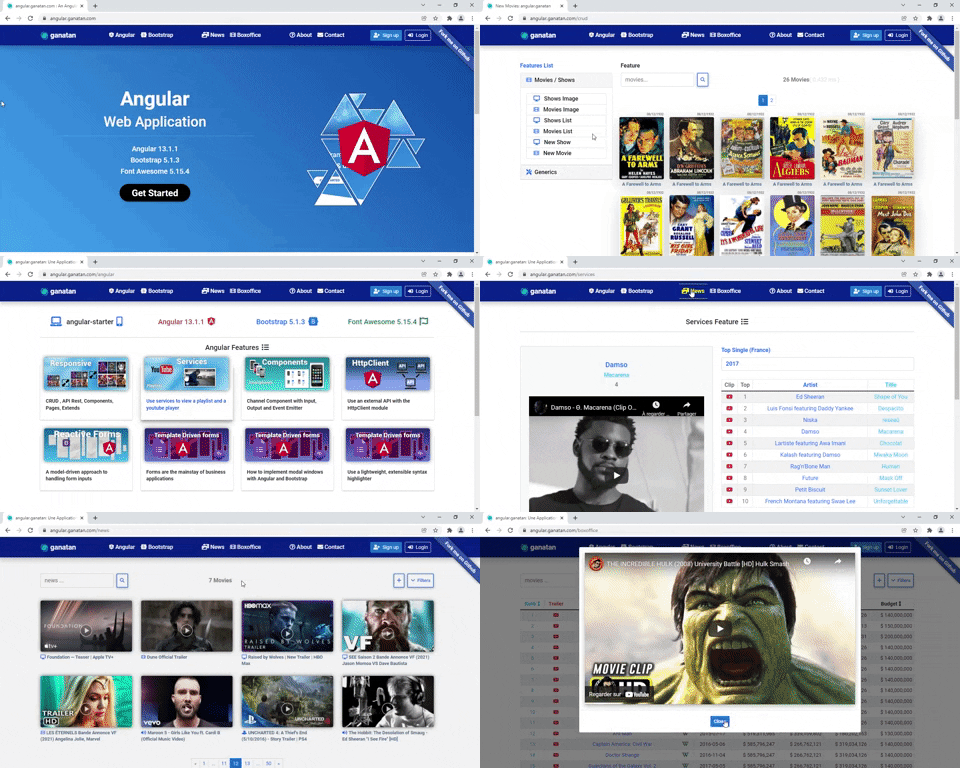
frontend-angular
Angular 19 app (with Routing, Lazy loading, SSR, PWA, SEO)
-
backend-javascript
Express.js API in JavaScript with PostgreSQL, MySQL or mock data -
backend-typescript
Express.js API in TypeScript with PostgreSQL, MySQL or mock data
In frontend-angular/src/environments/environment.ts:
useDatabase: false,
backend: 'http://localhost:3000',
useDatabase |
Mode |
|---|---|
false |
Mocked data handled in frontend |
true |
Real data fetched from backend |
In .env file:
PORT=3000
DB_CLIENT=mock # mock | pg | mysql
DB_CLIENT |
Data Source |
|---|---|
mock |
Mocked data |
pg |
PostgreSQL |
mysql |
MySQL |
| Resource | URL |
|---|---|
| Continents | http://localhost:3000/continents |
| Cities | http://localhost:3000/cities |
| Countries | http://localhost:3000/countries |
| Persons | http://localhost:3000/persons |
| Professions | http://localhost:3000/professions |
git clone https://github.com/ganatan/angular-app.git
cd angular-appcd frontend-angular
npm install
npm start
# http://localhost:4200cd backend-javascript
npm install
npm start
# http://localhost:3000cd backend-typescript
npm install
npm start
# http://localhost:3000- Docker must be installed on your machine: Install Docker
docker pull ganatan/frontend-angular
docker run -d -p 4200:4200 ganatan/frontend-angular
# http://localhost:4200docker pull ganatan/backend-javascript
docker run -d -p 8080:8080 ganatan/backend-javascript
# http://localhost:8080docker pull ganatan/backend-typescript
docker run -d -p 8080:8080 ganatan/backend-typescript
# http://localhost:8080- Danny – www.ganatan.com