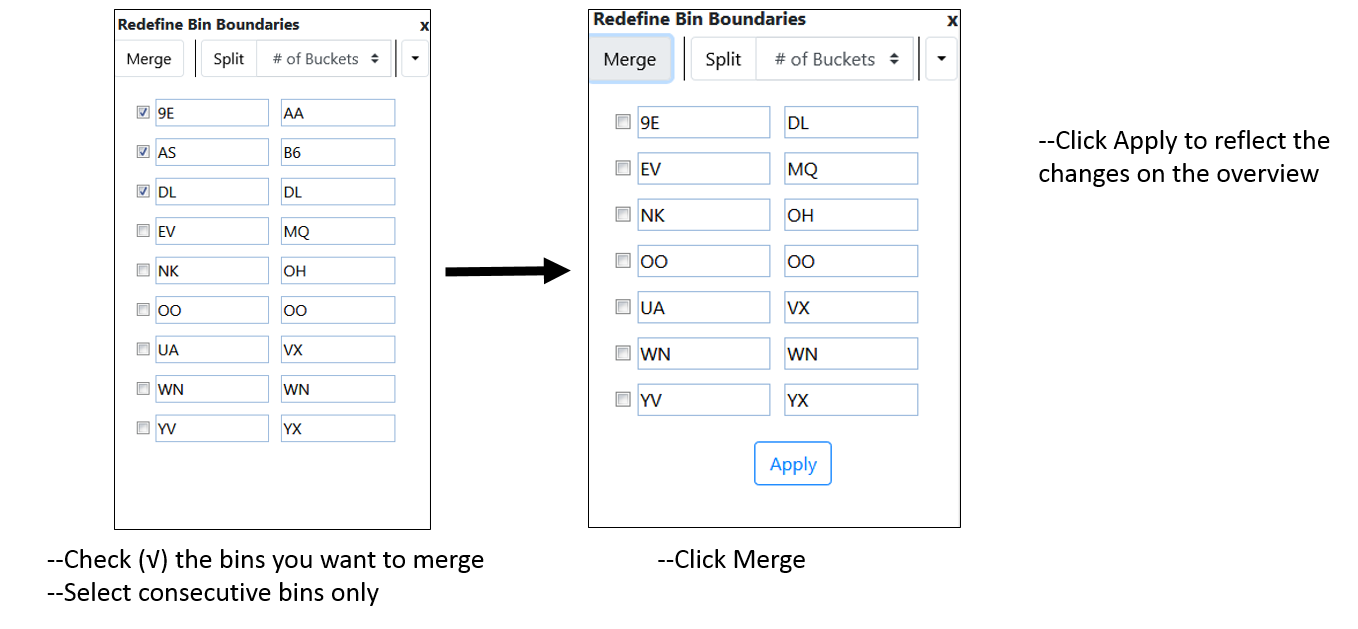
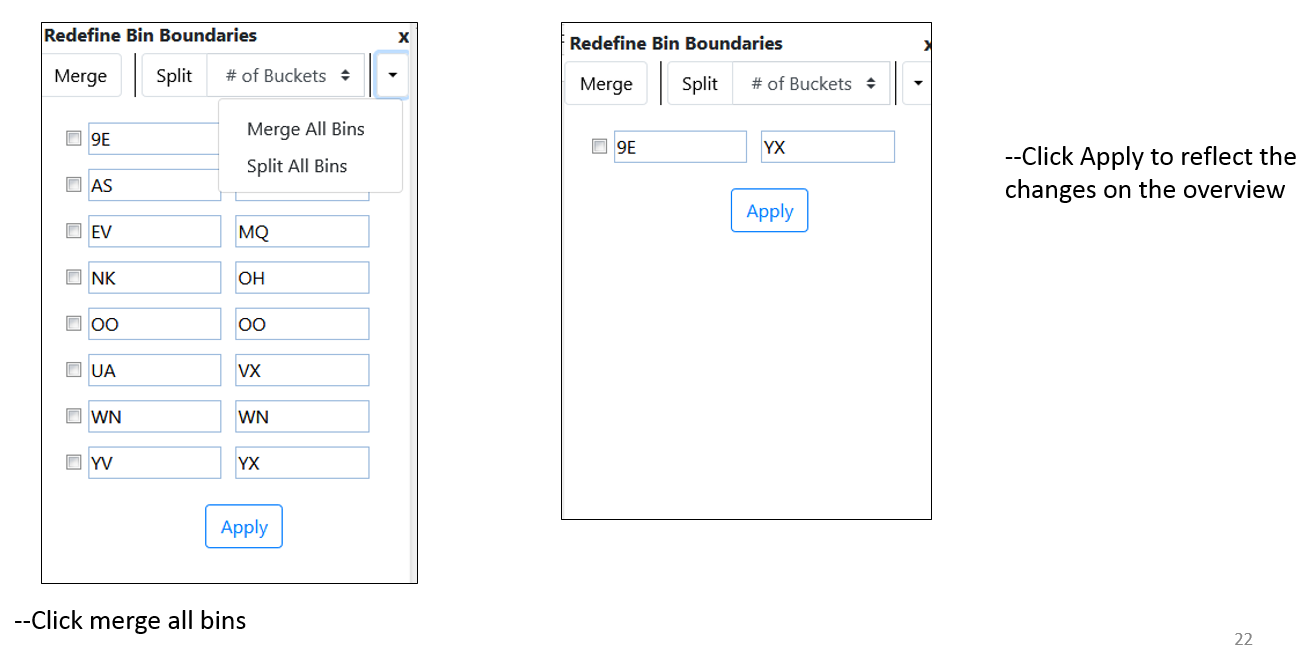
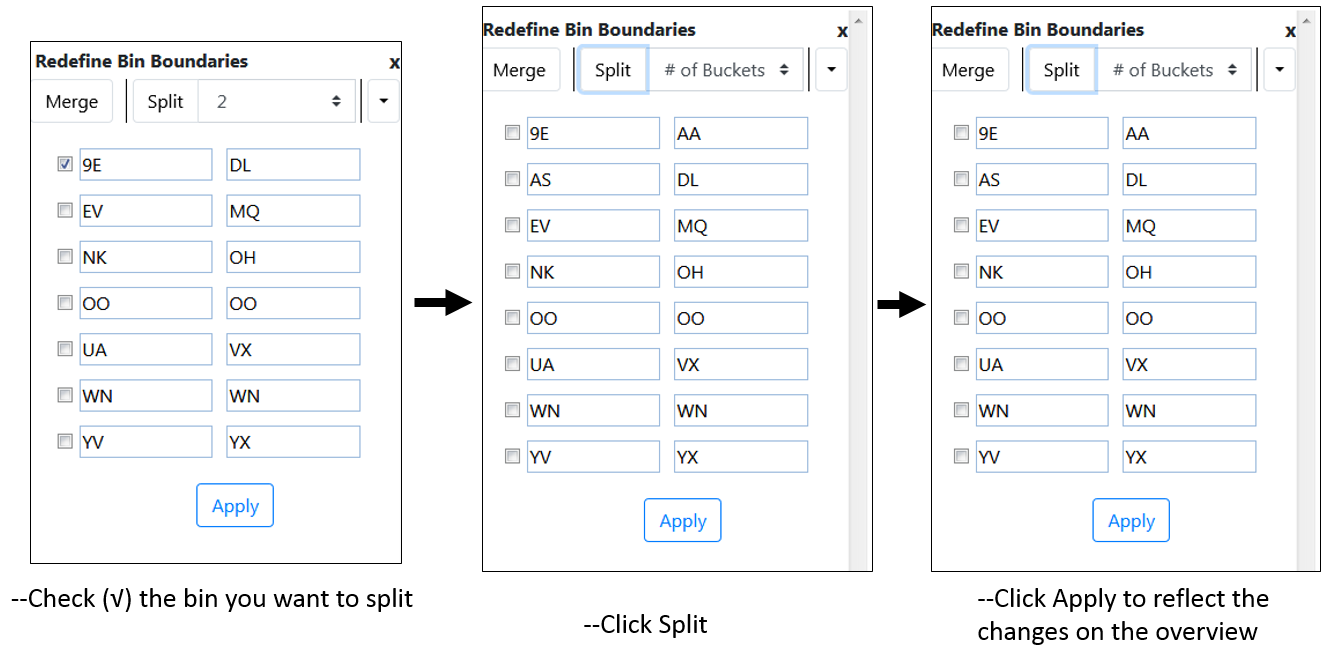
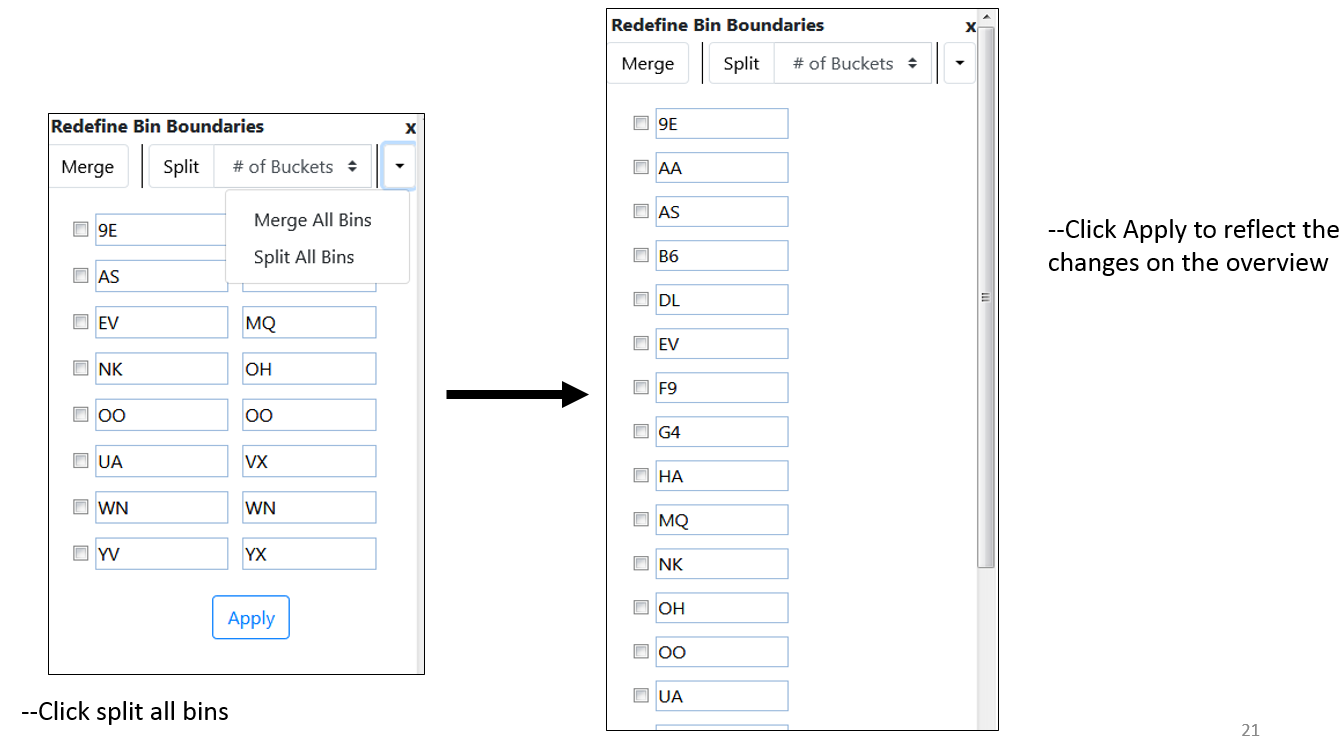
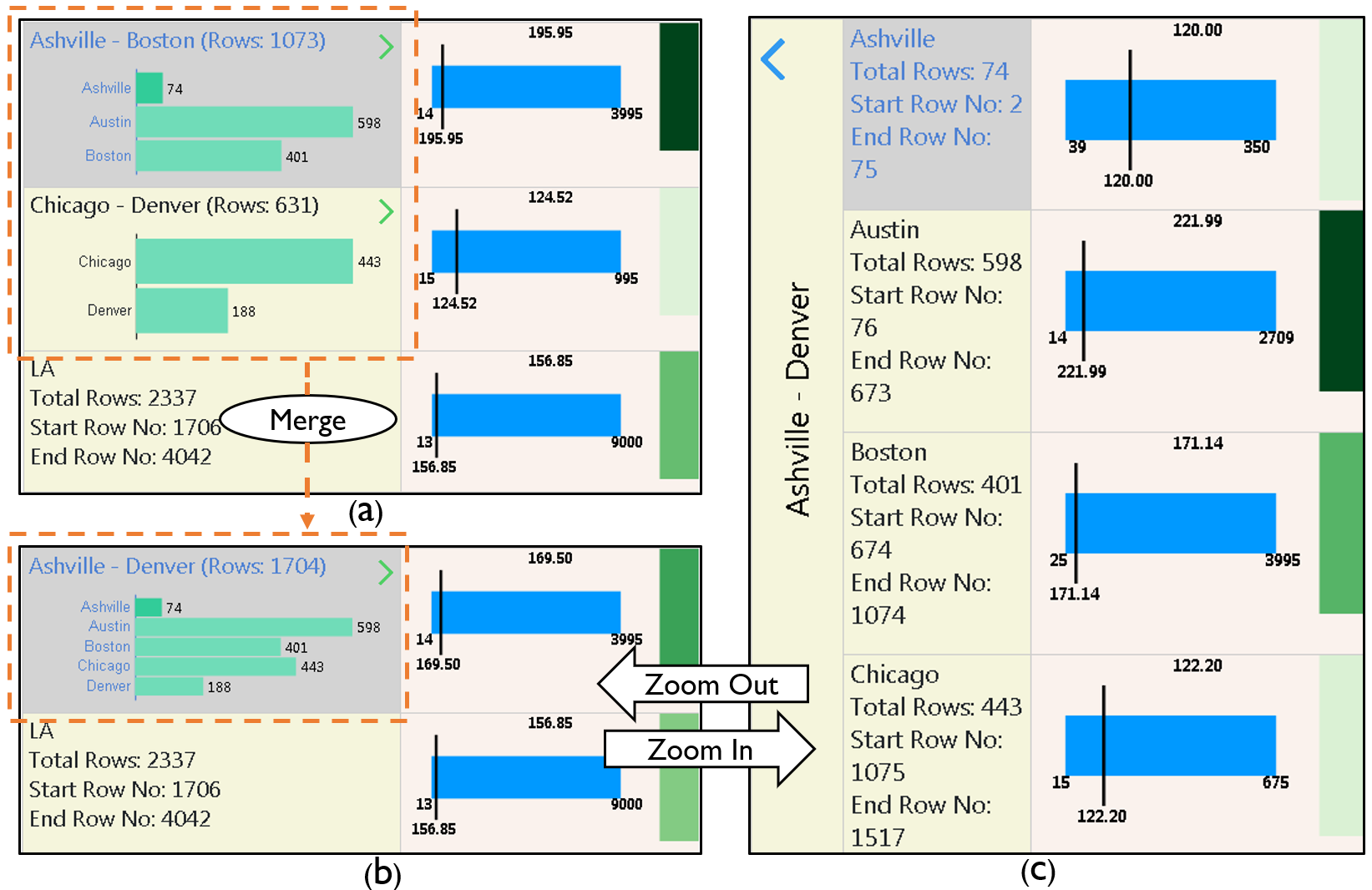
The System enables users to customize the overview bins. At any granularity, users can merge multiple consecutive bins into a single bin, or split a bin into multiple bins. The other operations include merging all the bins into one single bin and collapsing all the bins into singular bins, i.e., one unique value per bin. Say the user wants to compare summary statistics of Boston and Chicago. In the current organization these two cities are in two different bins. Using the bin customization feature, the user can merge the two bins Ashville-Boston and Chicago-Denver which creates a new bin Ashville-Denver. Users can now zoom into this bin and compare summary statistics of the cities in the same view. The interactions for splitting a bin depend on the data type. If the navigation attribute is textual, any bin can be split into as many bins as the number of unique values that bin contains. If the navigation attribute is numeric, users can split the bin into any arbitrary number of bins.
Step 1: From the menubar select Nav -> Customize Bins.